
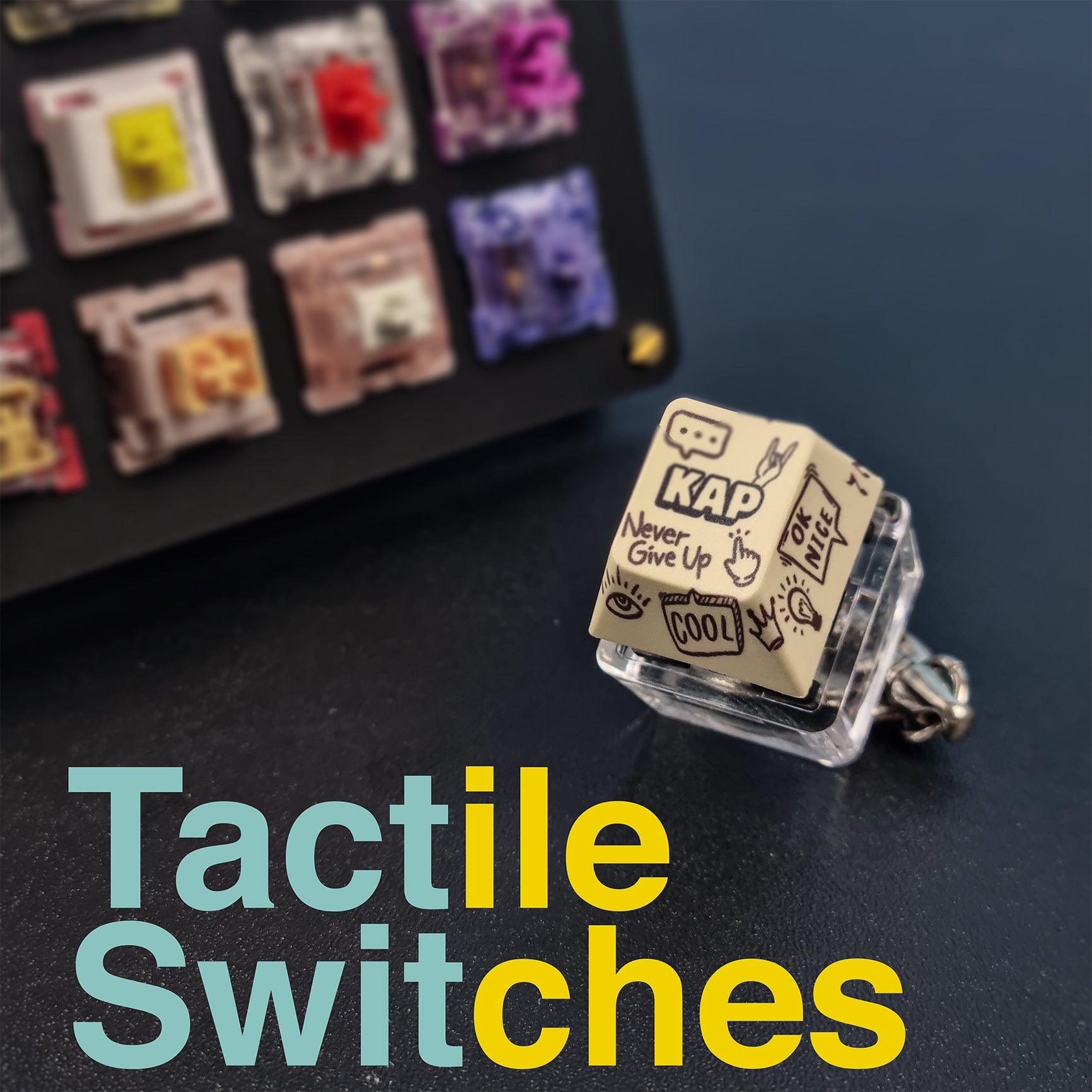
Tactile Switches: Beginner Friendly Guide 102
Tactile switches are a type of mechanical switch for keyboards.There are 3 main types of switches which are linear, tactile and clicky. Brands like Razer and Logitech manufacture mechanical keyboards that feature these tactile switches. These keyboards are typically hot-swappable which means we can swap out the switches on the keyboard freely. What are Tactile Switches? Tactile switches give a small feedback when actuating. We will get a subtle sound when pressing down tactile switches. Linear switches are consistent and give a smooth feeling. Clicky switches give the loudest feedback. Tactile switches are good for gaming and typing sessions because they provide a satisfying bump part way through a keystroke. The commonly seen color of tactile switches in mechanical keyboards is brown. Tactile Switches vs Linear Switches Both of these switches are suitable for gamers and typists. Below are the differences between linear and tactile switches. Linear Switches Tactile Switches Keystroke Feel Smooth and consistent Slight bump Tactile Feedback No Yes Sound Noiseless Quiet Key Advantage Speed Accuracy Best For (In General) Gaming Typing Source: daskeyboard.com Referring to the table, tactile switches give a slight bump when actuating whereas linear switches provide a smooth and consistent feeling. Additionally, there is tactile feedback from tactile switches but that is not the case for linear switches. Tactile switches produce a silent sound, linear switches on the other hand are noiseless. A key advantage of tactile switches is their accuracy. On the contrary, linear switches are notorious for their speed. In general, tactile switches are best for typing whereas linear switches are best for gaming. How to Choose Between Linear vs Tactile Switches If you like smooth, consistent and noiseless feedback, linear switches are the way to go. If you want to feel a slight bump and feedback upon actuating keys, then tactile switches would be a great choice. Should You Get Tactile Switches? Using a mechanical keyboard that features tactile switches is a significant upgrade from membrane keyboard. These tactile switches are perfect for gamers and typists.. Best Linear switches for Gamers 2024 Tecsee Neapolitan Ice Cream These switches deliver excellent latency performance with a good balance between press and release latency. They are classified as heavier switches with a particularly crisp and responsive-feeling tactile bump and a slightly higher-pitched sound. Best Budget Tactile Switches 2024 Kailh Speed Copper They offer the same high latency performance as the Tecsee Neapolitan Ice Cream. However, they are much more lightweight and have slightly shortened springs. They also have virtually no pre-travel. Best Silent Tactile Switches 2024 Outemu Silent Lime If you want a quiet typing experience, then these switches would be a great choice. These switches are also factory pre-lubed. Key-takeaway Tactile switches are mechanical keyboard switches. Tactile switches give a smooth gaming and typing experience. Have more questions about Tactile switches? Drop us a DM @thekapco Instagram
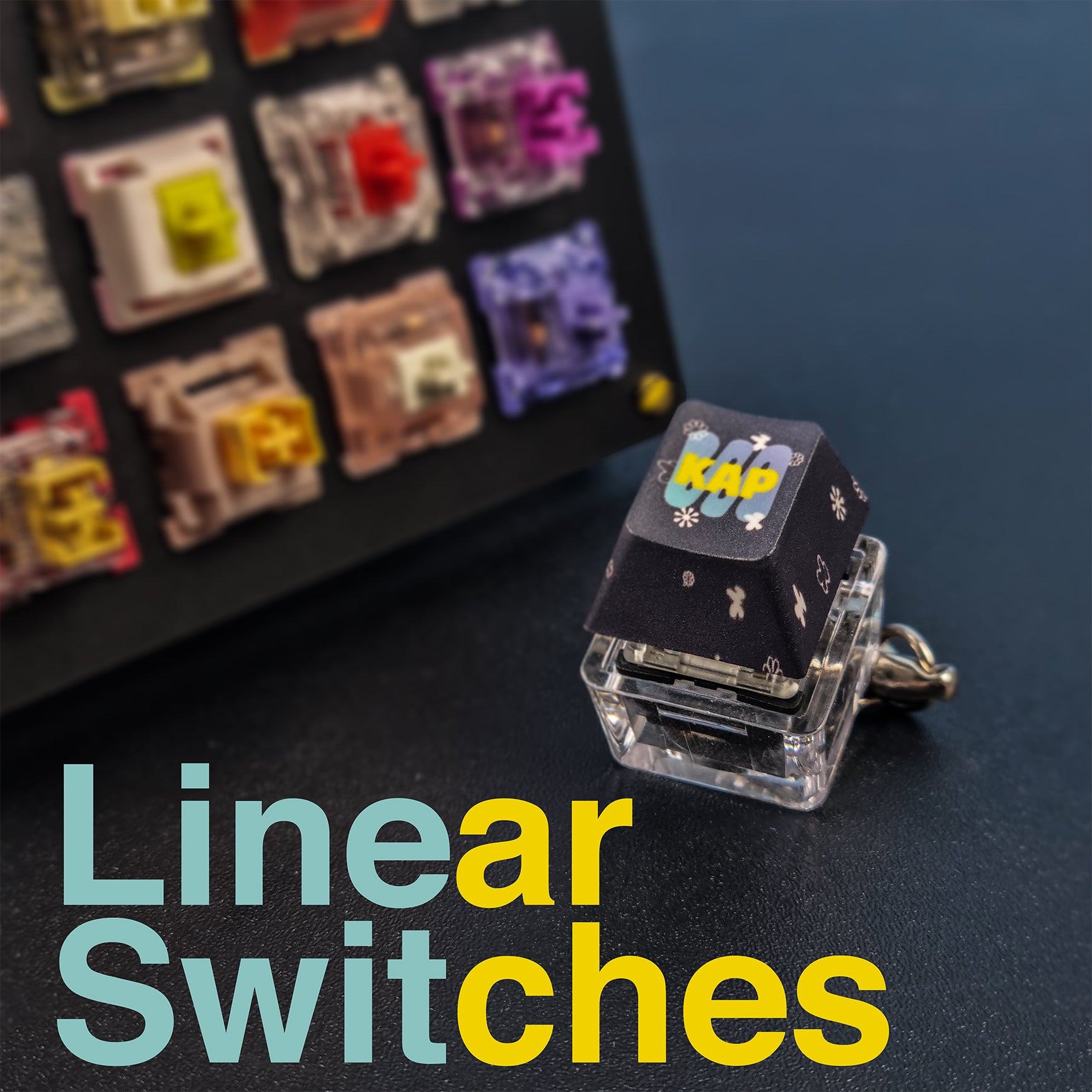
Linear Switches: Beginner Friendly Guide 101
Linear switches are a type of mechanical switch for keyboards. There are 3 main types of switches which are linear, tactile and clicky. Brands like Razer and Logitech manufacture mechanical keyboards that feature these linear switches. These keyboards are typically hot-swappable which means we can swap out the switches on the keyboard freely. What are Linear Switches? Linear switches are consistent and give a smooth feeling. Tactile switches give a small feedback when actuating. Clicky switches give the loudest feedback. Linear switches are suitable for gaming and typing sessions because they give immediate response. The most common color of linear switches in mechanical keyboards is red. Should You Get Linear Switches? Using a mechanical keyboard that features linear switches is a significant upgrade from membrane keyboard. These linear switches are perfect for gamers and fast typers. Best Linear switches for Gamers 2024 Get yours from Cherry Cherry MX Speed Silver These switches are the best for gaming because they are lightning-fast, ultra-lightweight which makes them ideal for fast-paced and competitive titles. Get yours from Kailh Kailh Super Speed Silver If you are looking for an even faster gaming experience, then check out the Kailh Super Speed Silver. These switches are significantly smoother and have shorter pre-travel distance compared to the Cherry MX Speed Silver. Best Budget Linear Switches 2024 Get yours from Akko Akko CS Silver If you are on a budget, these switches are a great pick. These switches offer a similar lightweight experience and latency performance as the more expensive Cherry MX Speed Silver. Best Silent Linear Switches 2024 Get your from The KapCo Outemu Silent Peach If you want a quiet gaming experience, then these switches would be a great choice. These switches are lightly pre-lubed and provide similar performance to the switches above. Key-takeaway Linear switches are mechanical keyboard switches. Linear switches give a smooth gaming and typing experience. Have more questions about Linear switches? Drop us a DM @thekapco Instagram
The Ultimate Guide to Mechanical Switches: Everything You Need to Know
Whatever you need to know about mechanical switches in one informative, simple article. From common brands of switches to maintaining and modding key switches, we offer the ultimate guide for beginners!
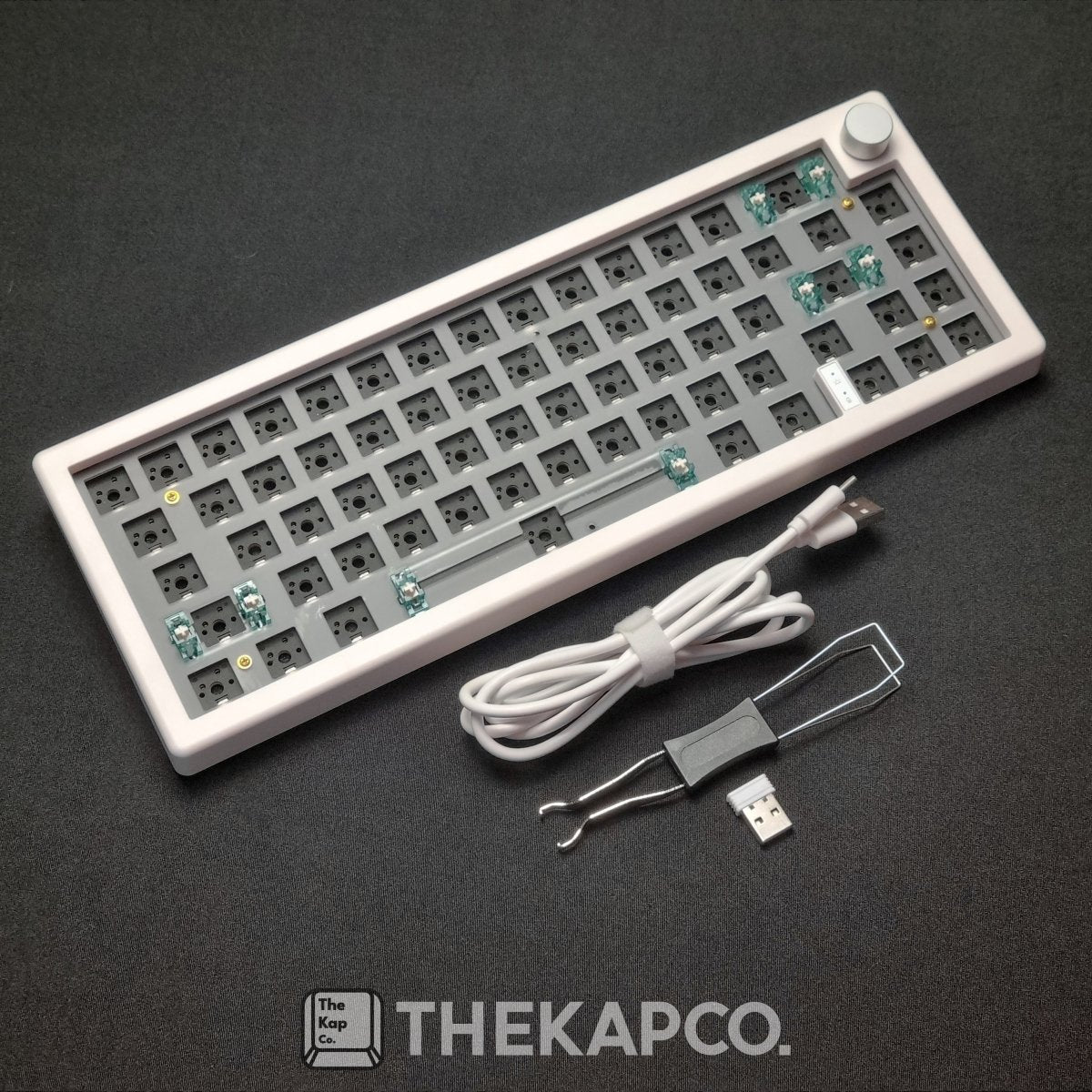
Why the GMK67 is the Best 65% Mechanical Keyboard Kit for Beginners
New to the universe of customization? We're here to help! In order to start customizing your workstation, you need to first invest in a quality mechanical keyboard kit. What exactly is that? A mechanical keyboard kit is a set of components that is used to assemble a custom mechanical keyboard. It can be also called a barebone kit. The kit typically includes a PCB (printed circuit board), a plate, a case, and keycaps. Some kits may also include stabilizers, switches, and a USB cable. Basically, they are the essential parts needed to complete a keyboard (barebone kit + switches + keycaps). If these are new terms for you, do check out a guide to switches and keycaps before you proceed. If you are looking for a fun and easy way to build your own mechanical keyboard, you should check out the GMK67 kit. This kit offers a 65% layout with 66 keys, a polycarbonate plate, a poron gasket mount, a tri-mode wireless connection, and a cool knob. In this blog post, I will show you everything you need to know about the GMK67 kit, including its features, benefits, and how to assemble it. Introduction Are you looking for a mechanical keyboard that has it all? Then you might want to check out The Kapco GMK67 mechanical keyboard. This keyboard is not only elegant and stylish, but also loaded with features and functions that make it one of the most flexible and customizable keyboards in the market. The Kapco GMK67 Whether you are a gamer, a programmer, a writer, or just a keyboard lover, you will find something to like about The Kapco GMK67 mechanical keyboard. In this comprehensive guide, we will show you everything you need to know about this amazing keyboard, from its specifications and features, to its accessories and customization options. By the end of this guide, you will be able to decide if The Kapco GMK67 mechanical keyboard is the right choice for you. You have been repeatedly hearing this phrase, but what exactly is the GMK67? The GMK67 is an affordable keyboard kit made by the manufacturer ZUOYA. 'GMK' is the name of the keyboard model, and 67 represents the number of functioning keys on the keyboard (66 keys + 1 knob). Although this unique keyboard has 66 keys, it is still considered a 65% keyboard. Not sure what the 65% indicates? We'll explain more of it below. Continue reading as we unfold the keyboard's well-loved features and specifications. Specifications Specifications Details Dimensions 325 x 120 x 30mm Weight 450g Keyboard layout 65% Key Count 66 keys 1 multi-function knob Connectivity Tri-mode USB Type-C wire mode 2.4Ghz wireless mode with dongle Bluetooth Battery 15-20 hours per charging cycle Compatibility Windows Mac OS System In summary, the GMK67 is a light, compact, and budget friendly keyboard. It is the perfect starting point for mechanical keyboard customization. This fun-sized keyboard is rapidly gaining popularity among keyboard enthusiasts for its affordability and amazing features. The keyboard features a layout of 65%. Typically, a 65% mechanical keyboard incorporates a full set of alphanumeric keys, including letters (A-Z) and numbers (0-9). Additionally, it features a variety of other keys, such as function keys, arrow keys, modifier keys, and dedicated media control keys. The keys are thoughtfully arranged in a compact layout, optimizing space utilization and ergonomics. If you are wondering whether or not the 65% keyboards will be a good fit for your desk, have a read on the many different keyboard sizes here! Furthermore, the 65% mechanical keyboard offers several advantages over larger and smaller keyboard sizes. Those include its compact properties, portability and light weight. Check out more of the pros of having a 65% keyboard here. 65% mechanical keyboard is an excellent choice if you are looking for a compact and efficient typing solution. With a key count of 66 and a multi-function knob, it manages to retain most of the essential keys found on larger keyboards while offering increased portability, improved ergonomics, and enhanced desk space utilization. Moreover, the tri-connectivity mode and long lasting battery caters for using it on-the-go. The keyboard is also compatible with Windows and Mac. It is fully functional on Windows OS but there are a few FN combinations that may not work on Mac OS. The Secret That Makes The GMK67 So "Juicy" The special features of this keyboard is what makes this mechanical keyboard *chef's kiss*. It is built on gasket mounting structure on an affordable price tag! Next question- What the heck is a gasket mounting structure? A gasket mounting structure is a type of mounting system for mechanical keyboards. It uses rubber gaskets to cushion the plate and PCB from the case. This helps to reduce noise and vibration. This results in a softer and more comfortable typing experience. Gasket mounting structures are becoming increasingly popular in the mechanical keyboard community, as they offer a number of advantages over other mounting systems, including: Reduced noise and vibration: The gasket material helps to absorb noise and vibration from the keyboard, resulting in a quieter and more comfortable typing experience. Improved flex: Gasket mounting structures allow the plate to flex slightly, which can provide a more responsive and enjoyable typing experience. Reduced stress on the components: The gasket material helps to reduce stress on the plate and PCB, which can help to extend the life of the keyboard. Gasket mounting structures are typically found on higher-end mechanical keyboards, but they are becoming more affordable as the technology becomes more widespread. What's so great about gasket mounting structure is that it is better sounding, softer typing sensation and considered as newer mounting style. Moreover, the gasket is made out of poron which functions to cushion the plate and the case. The poron gasket also helps to improve the sound quality of the keyboard by enhancing the acoustics. Other Notable Features The Kapco GMK67 mechanical keyboard has many features that makes it stand out from the rest. Here are some of them: Features Explanation Hot-swappable Supports all 3-pins and 5-pins switches Choose between linear, tactile, or clicky Mix and match different switches for a personalized typing experience RGB backlit Full RGB backlit with audio-sync function South-facing LED lights Has 20 preset RGB modes Customizable RGB modes Knob switch function Volume adjusting function Programmable with the driver software, such as media controls or macros. Pre-lubed Stabilizer Feels great even without after-market modification What will you be getting from GMK67? It is definitely the keyboard's features & functionality. This keyboard is hot-swappable, meaning you can interchange switches according to your preference. You can even mix and match between tactile, clicky and linear to enhance your experience. Other than that, you can have RGB light illuminating your workstation with this kit. The RGB backlit is fully customizable with GMK67 keyboard's driver and has 20 preset modes ready for you to cycle through with a key combination. The programmable knob switch is also an excellent feature, you can change its function to your own liking via the driver software. Lastly, the pre-lubed stabilizer ensures the keyboard performs well and resulting in a smoother and more comfortable typing experience. Functions The Kapco GMK67 mechanical keyboard has many functions that make it easy and convenient to use. Here are some of them: All-keys anti ghosting: The keyboard supports all-keys anti ghosting, which means it can register multiple key presses at once without any conflict or delay. This is especially useful for gamers who need to execute complex commands or combos quickly and accurately. FN key combination: The keyboard has a FN key that can be used to access various secondary functions on the keys. You can try them out on your brand new GMK67 keyboard with these combinations! Combination Function FN+ ↑: RGB backlight brightness Increase FN+ ↓ RGB backlight brightness decrease FN+ ← Switch RGB dynamic backlight direction FN+ → Switch RGB backlight color FN+ [ RGB backlight speed decrease FN+ ] RGB backlight speed increase FN+ \\ Toggle different RGB backlight modes totally 18 modes Factory case foam and poron plate foam: The keyboard comes with factory case foam and poron plate foam that are pre-installed inside the case and under the plate. These foams help to reduce the hollow sound of the keyboard and improve its sound quality. Customization options The Kapco GMK67 mechanical keyboard has many customization options that allow you to personalize your keyboard according to your taste and style. Here are some of them: Switches: You can choose from different types of switches for your hot-swappable PCB, such as Outemu Silent Lime or Gateron G Pro Silver 2.0. Keycaps: You can choose from different types of keycaps for your keys, such as PBT or ABS material, dye-sublimated or double-shot legends, OEM, KSA, XDA or the best-selling Cherry profile. Case: You can choose from different colors for your case, such as white, black, blue, green, pink, etc. You can also choose from different materials for your case, such as aluminum or plastic material. At The Kapco, we have a variety of switches ready for you to choose from. From loud clicky sounds to peace and quiet, we have them all. You can also mix and match different switches on different keys for a unique typing feel. As for keycaps by The Kapco, we only provide dye-sublimated PBT keycaps. Our mesmerizing designs are perfect to decorate your keyboards for a long time. Not only that, we have a multitude of keycap profiles waiting for you to try. The best seller is still the OG Cherry Profile. Lastly, The Kapco has just released new color addition of the GMK67. The original monochrome colors now include maroon, pink, green, blue and purple. Read more on why you should definitely get your desk setup from The Kapco! Quick and Easy Assembling Guide To assemble your very first mechanical keyboard, you need to gather your ingredients. You will need: GMK 67 barebone kit 66 switches 1 keycap set from The Kapco Venice Set by The KapCo Luckily for you, we've got you covered. You can get all your necessary parts all in under one platform! The Kapco offers a beautiful selection of Black / White / Blue / Green / Purple / Pink / Maroon GMK67 Barebone kit! Each kit comes with an option of switch or no switch. The types of switches recommended for the GMK67 are: Gateron Silver for a creamy sound and Outemu Lime for a pin-drop silence sensation. Upon selecting your favorite colored-case, you can now choose the design you love from our fabulous keycap collection. Now that you have your kit and chosen keycaps, you just need to patiently wait for the day our parcel arrives at your doorstep. After unboxing, you need to install the switches then install the keycaps. The keyboard can be plugged & played immediately, however, it is advised to charge via Type-C cable for first time usage. What's in the box? One keyboard Type-C cable Wireless dongle attached to keyboard User manual Free key switch puller You can expect to see these items neatly wrapped when you receive your GMK67 kit. If in the event that there is a missing component in your parcel, do contact The KapCo via email or Instagram. Conclusion The Kapco GMK67 mechanical keyboard is an amazing product that offers many wonderful features and functions that make it one of the best budget keyboards in the market. If you are looking for a good keyboard to customize, this kit is an ideal choice. With a gasket mounting structure, RGB power, tri-connection mode and hot-swappable feature, it can't get any better than this. Not only is it durable and multi-function, it is also lightweight and portable. For the price you are paying, this keyboard is a steal! For a beginner that wishes to try a mechanical keyboard kit or an enthusiast that wish to own a second "fun" board, the GMK67 fits the bill. It can also make the perfect gift for family and friends. Tap in to browse our GMK67 barebone kit. To see our exquisite keycap designs, check out our keycap collection. Key Takeaways Congratulations, you've made it to the end! Here's a TL;DR. GMK67 is perfect to begin your keyboard customizing journey. GMK67 allows you to choose your favorite switch and keycaps. GMK67 has a gasket mounting structure, RGB lighting, programmable knob and a tri-connection mode. GMK67 is compatible with Windows and Mac OS. GMK67 is durable, compact and portable. We hope this guide helped you learn more about this product and why it is worth buying. To see some FAQs answered, tap here.Thank you for reading!

Yunzii AL71 Mechanical Keyboard Review
With the sudden surge of interest in customizing mechanical keyboards, the demand of new designs and models of keyboards is an all-time-high. The Yunzii AL71 provides assurance and durability for users. The remarkable feature of this keyboard is the great RGB options and the multiple connection modes of the device. This keyboard is perfectly customizable and caters to your preference, even when it comes to switches and keycap designs!
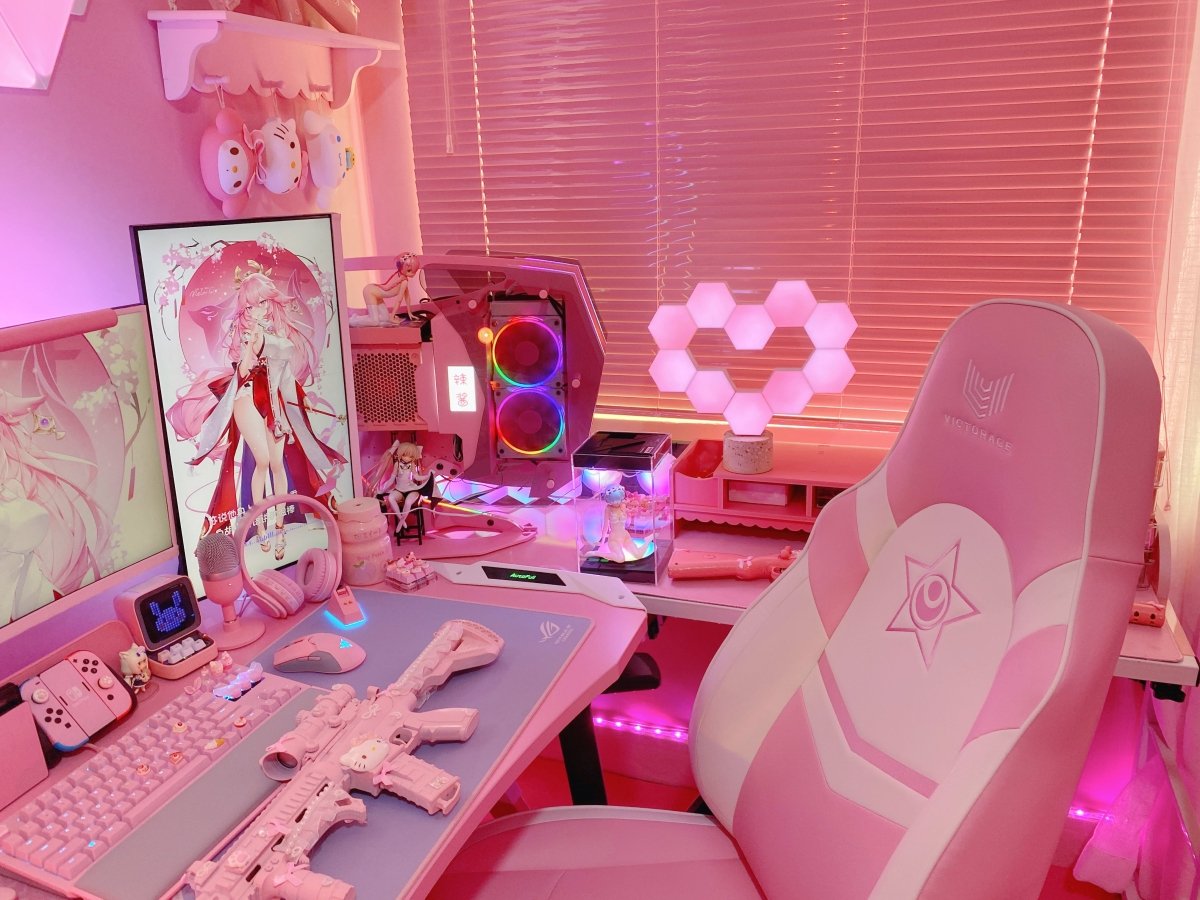
Spice Up Your Gaming Experience with Cololight and The KapCo's Custom Keycaps
If you are looking for a way to spice up your gaming room and enjoy the RGB light show, you might want to check out the Cololight Hexagon Pro LED light kit and the 3-sided crystal keycaps from The KapCo. These two products are designed to create a stunning visual effect that matches your mood, style, and personality. Cololight - Customized Light Beads The Cololight Hexagon Pro light kit is a set of honeycomb-shaped light panels that can be arranged into any shape you want. You can use them as a freestanding light or mount them on the wall. The panels can display any of the 16 million colors and sync to music. You can control them with the Cololight app, Alexa, or Google Assistant. The 3-sided crystal keycaps from The KapCo are custom-made keycaps that fit any mechanical keyboard. They are made of high-quality PC-PBT material that is durable, transparent, and smooth. They have three sides that reflect the light from your keyboard, creating a dazzling effect. You can choose from a wide range of styles, themes, and colors to suit your preferences and needs. Okiya 2.0 - 3-sided Crystal Keycaps Together, the Cololight and the 3-sided crystal keycaps can create a unique and immersive gaming experience. You can sync them with your favorite games, music, or movies and enjoy the dynamic lighting effects. You can also customize them with your own designs and patterns using the Cololight app. Whether you want to create a relaxing, fun, or exciting atmosphere, these additions can boost productivity and, most importantly, let you enjoy your work! The Cololight Hexagon Pro light kit and the 3-sided crystal keycaps from The KapCo are both affordable and easy to use. They are compatible with most devices and platforms and have a low power consumption. If you are looking for a way to upgrade your gaming room and express your personality and style, you should definitely give them a try. You won't regret it! In this article, we will go into more depth about the features and benefits of these two products. We will also provide some tips and tricks on how to make the most out of them. We hope that by the end of this article, you will be convinced that these two products are worth investing in. Cololight Hexagon Pro LED Light Kit The Cololight Hexagon Pro LED light kit is a product of LifeSmart, a company that specializes in smart home devices and solutions. The Cololight is one of their most popular products, as it combines aesthetics, functionality, and innovation. Works with Google Assistant and Amazon Alexa The Cololight is composed of hexagonal light panels that can be connected together using magnetic connectors. Each panel has 19 LED beads that can emit different colors and brightness levels. The panels are also touch-sensitive, so you can turn them on or off by tapping them. 19 Light Beads The Cololight can be used as a freestanding light or mounted on the wall using the included wall mount accessories and a stone base. You can create any shape or pattern you want with the panels, such as a heart, a flower, or even a logo or a word. The possibilities are endless! You can control the Cololight using the Cololight app on your smartphone or tablet. The app allows you to change the color, brightness, speed, and mode of the panels. You can also choose from various preset scenes that suit different occasions, such as romantic, party, movie night, etc. Heart Shape design One of the coolest features of the Cololight is its music listening mode. In this mode, the panels will react to the sound or music around them and change colors accordingly. You can also use the microphone on your device to make the panels respond to your voice or any other sound source. Another awesome feature of the Cololight is its compatibility with Alexa and Google Assistant. This means you can use voice commands to control the panels without touching your device. For example, you can say "Alexa, turn on Cololight" or "Hey Google, set Cololight to blue" and watch the magic happen. Razer Chroma The Cololight is not only a beautiful decoration for your gaming room but also a smart device that can enhance your gaming experience. For example, you can sync the Cololight with your games using third-party apps such as Razer Chroma, SignalRGB or IFTTT. This way, the panels will change colors according to what's happening in your game, creating an immersive atmosphere. You can also use the Cololight as an alarm clock or a night light. You can set timers and schedules for the panels to turn on or off at specific times. You can also adjust the color temperature and brightness level to suit your preference. The Cololight is a versatile and fun product that can add some flair and personality to your gaming room. It is easy to set up and use, and it has a low power consumption of 5V/2A. It can also be extended up to 128 level of panels, so you can create larger and more complex designs. 3-Sided Crystal Keycaps from The KapCo The 3-sided crystal keycaps from The KapCo are another product that can make your gaming room more colorful and stylish. The KapCo is a company that specializes in custom-made keycaps for mechanical keyboards. They offer a variety of designs, materials, and colors for you to choose from. The 3-sided crystal keycaps are one of their most popular products, as they are made of high-quality PC-PBT material that is durable, transparent, and smooth. They have three sides that reflect the light from your keyboard, creating a dazzling effect. They also have a clear top that allows you to see the legends on your keys. Geisha 2.0 Keycaps The 3-sided crystal keycaps are compatible with any mechanical keyboard that uses Cherry MX or similar switches. They are easy to install and remove, and they do not affect the typing feel or sound of your keyboard. They also have a standard height and profile, so they do not interfere with your typing comfort or accuracy. The 3-sided crystal keycaps come in various styles and themes for you to choose from. The 3-sided crystal keycaps are not only a beautiful accessory for your keyboard but also a functional one. They can enhance your gaming experience by creating a more vivid and dynamic lighting effect. You can also use the keycaps as a mood light or a night light. You can adjust the color, brightness, speed, and mode of your keyboard. The 3-sided crystal keycaps are a unique and innovative product that can add some flair and personality to your keyboard. Tips and Tricks To help you make the most out of the Cololight Hexagon Pro light kit and the 3-sided crystal keycaps from The KapCo, here are some tips and tricks that you can try: Experiment with different shapes and patterns for the Cololight panels. You can use the Cololight app or the website to preview your design before you assemble it. Try to match the color scheme of the Cololight panels and the 3-sided crystal keycaps with your gaming room or your gaming gear. Use the music mode of the Cololight panels and the 3-sided crystal keycaps to create a party vibe or a relaxing ambiance. You can play your favorite tunes or use online services to try it. Sync the Cololight panels and the 3-sided crystal keycaps with your games using third-party apps such as Razer Chroma. Use the voice control feature of the Cololight panels and the 3-sided crystal keycaps to control them without touching your device. You can use Alexa or Google Assistant to give voice commands. Use the timer and schedule feature of the Cololight panels to automate them according to your routine. You can use them as an alarm clock or a night light, or set them to turn on or off at specific times. Conclusion If you are looking for a way to spice up your gaming room and enjoy the RGB light show, you should not miss the Cololight Hexagon Pro light kit and the 3-sided crystal keycaps from The KapCo. These two products are not only beautiful and stylish, but also smart and functional. They can create stunning visual effects that match your mood, style, and personality. They can also enhance your gaming experience by syncing with your games, music, or movies. They are easy to set up and use. With these two products, you can transform your gaming room into a unique and immersive space that reflects who you are and what you love. Don't hesitate to give them a try. You won't regret it!

Everything You Need to Know About Keycap Profiles
If you're a beginner in the keycap world and you have absolutely no idea what keycap profiles are and the types of keycap profiles, you have come to the right place to seek the knowledge. This article will explore the types of keycap profiles and its functions to help you decide what's best for you!
The Click and Clack of Mechanical Switches
What's Up, Kap Krew! Ask yourself: "How do I know which mechanical switch is the best for me to use?” Fret not, pay us and visit, read on and you will discover the answer! In this article, we will cover Types of Mechanical Switches, Choosing the Best Switch and Why Choosing the Best Switch for You is Important.
The Ultimate Keyboard Size Guide for Beginners
What’s up, Kap Krew! Are you new to the keyboard world? Don't know what keyboard sizes are best suited for you? Don't worry. We gotchu. In this article, we will introduce the 7 common keyboard sizes and How to choose the right keyboard for you!
Why EU/British Use ISO Keyboard: A Guide to the Differences and Benefits
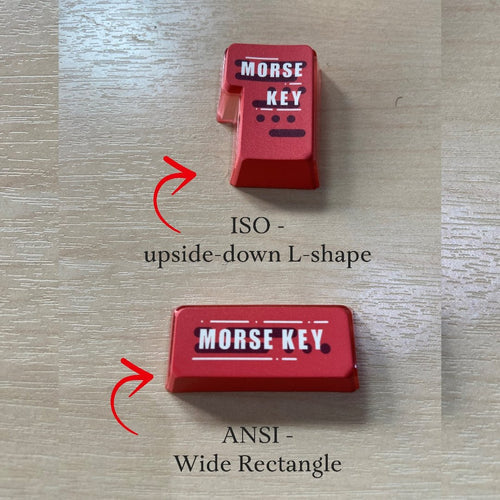
If you are looking for a new mechanical keyboard, you might be wondering what are the differences between the ANSI and ISO layouts.3 These are the two most common physical layouts for mechanical keyboards, especially in Western countries. The physical layout determines the size and placement of keys, while the visual layout determines the order of alphabetical or numerical keys, such as QWERTY or Dvorak. The ANSI keyboard is the most common layout overall, especially in the US. In contrast, the ISO keyboard is primarily found in Europe and elsewhere. In this article, we will discuss the main differences between the two layouts and why you might prefer one over the other. The Main Differences Between ANSI and ISO Keyboards There are five differences between the ANSI and ISO keyboard layouts. These differences involve the placement and shape of the:- enter key, left shift key, backslash key, right alt key, and alt graph (AltGr) key. An ANSI keyboard features 104 keys in full size and 87 keys in compact form, while an ISO keyboard has 105 keys in full size and 88 keys in compact form (one extra). Enter Key On the ANSI layout, the enter key is wide and rectangular, whereas on the ISO layout the enter key is much larger and taller, shaped like an upside-down L-shape. The ISO layout follows the ISO convention of having an enter key in the third row, while the ANSI layout follows the ANSI convention of having an enter key in the second row. The advantage of the ISO enter key is that it is easier to reach with your pinky finger and it covers more space on the keyboard. The disadvantage is that it reduces the size of other keys around it, such as the backslash key and the left shift key. Left Shift Key On an ANSI keyboard, the left and right shift keys are the same size, long and rectangular. On an ISO keyboard, the left shift key is about half the size of the right shift key (at about the same size as the left ctrl key). This is because of the extra key that is added next to the enter key on the ISO layout. The advantage of the ANSI left shift key is that it is easier to press with your pinky finger and it covers more space on the keyboard. The disadvantage is that it might be harder to press with your ring finger if you use a different typing technique. Backslash Key On an ANSI keyboard, the backslash key is directly above the enter key at the same size as the right ctrl key. On an ISO keyboard, it’s directly to the left of the enter key at a smaller size. This is because of the different shape of the enter key on each layout. The advantage of the ANSI backslash key is that it is easier to reach with your pinky finger and it has a consistent size with other keys on its row. The disadvantage is that it might be harder to press with your ring finger if you use a different typing technique. Right Alt Key The right alt key and left alt key are identical on an ANSI keyboard. On an ISO keyboard, the right alt key is replaced by the alt graph (also known as AltGr) key. This key enables users to easily type characters that have diacritics, such as á or ñ. The advantage of the AltGr key is that it allows users to access more symbols and characters on their keyboard without changing their visual layout or using additional software. The disadvantage is that it might interfere with some shortcuts or commands that usethe right alt key on other layouts. Number of Keys An ANSI keyboard features 104 keys in full size and 87 keys in compact form, while an ISO keyboard has 105 keys in full size and 88 keys in compact form (one extra). The extra key is added next tothe enter key on the ISO layout to accommodate # (number sign) and ~ (tilde). The advantage of the extra key is that it allows users to type these symbols without using shift or AltGr modifiers. The disadvantage is that it adds more complexity and inconsistency to the keyboard layout. Why Do British or EU People Use ISO Layout? The ISO layout is popular in Europe and elsewhere because of the inclusion ofthe AltGr key and the larger enter key. These features make it easier for users to type characters that have diacritics, such as á or ñ, or currency symbols, such as £ or €. These are common needs in the United Kingdom and Ireland. The ISO layout also follows the ISO convention of having an enter key inthe third row, which is more ergonomic and comfortable for some users. The ISO layout also conforms to the British Standard BS 4822, which defines the physical layout and labeling of keyboards in the UK. The Difficulty of Finding ISO Keyboards and Keycaps One of the drawbacks of using an ISO keyboard is that it might be harder to find than an ANSI keyboard, especially in the US market. Most keyboards sold online or in stores are designed for the US layout, which means that users who prefer the ISO layout might have fewer options or higher prices. Another difficulty is finding compatible keycaps for customizing or replacing keys on an ISO keyboard. Keycaps are the plastic covers that attach to the switches on a mechanical keyboard. They come in different shapes, sizes, colors, and materials, and they can affect the feel and look of a keyboard. However, not all keycaps are compatible with all keyboards. Because ofthe differences between ANSI and ISO layouts, users need to make sure thatthe keycaps they buy match their keyboard layout. For example, an ANSI enter key will not fit on an ISO keyboard, and vice versa. Finding ISO keycaps might be more challenging than finding ANSI keycaps, because most keycap sets are designed for the US layout. Users who want to customize their ISO keyboard might have to search for specific keycap sets that support the ISO layout, or buy additional keys separately. Thekapco: Your Solution for ANSI Mechanical Keyboards and Keycaps At Thekapco, we specialize in a wide range of ANSI mechanical keyboards and keycaps. Whether you're looking for a full-size or compact keyboard, wired or wireless options, we have a variety to suit your needs. We offer a diverse selection of keycap sets in different colors, materials, profiles, and legends, all compatible with the ANSI layout. Additionally, we provide custom-made keycaps that you can design to your personal preferences. Our commitment is to offer high-quality products and services at affordable prices for all ANSI keyboard users. If you want to learn more about our products or place an order, please visit our website or contact us via Instagram.
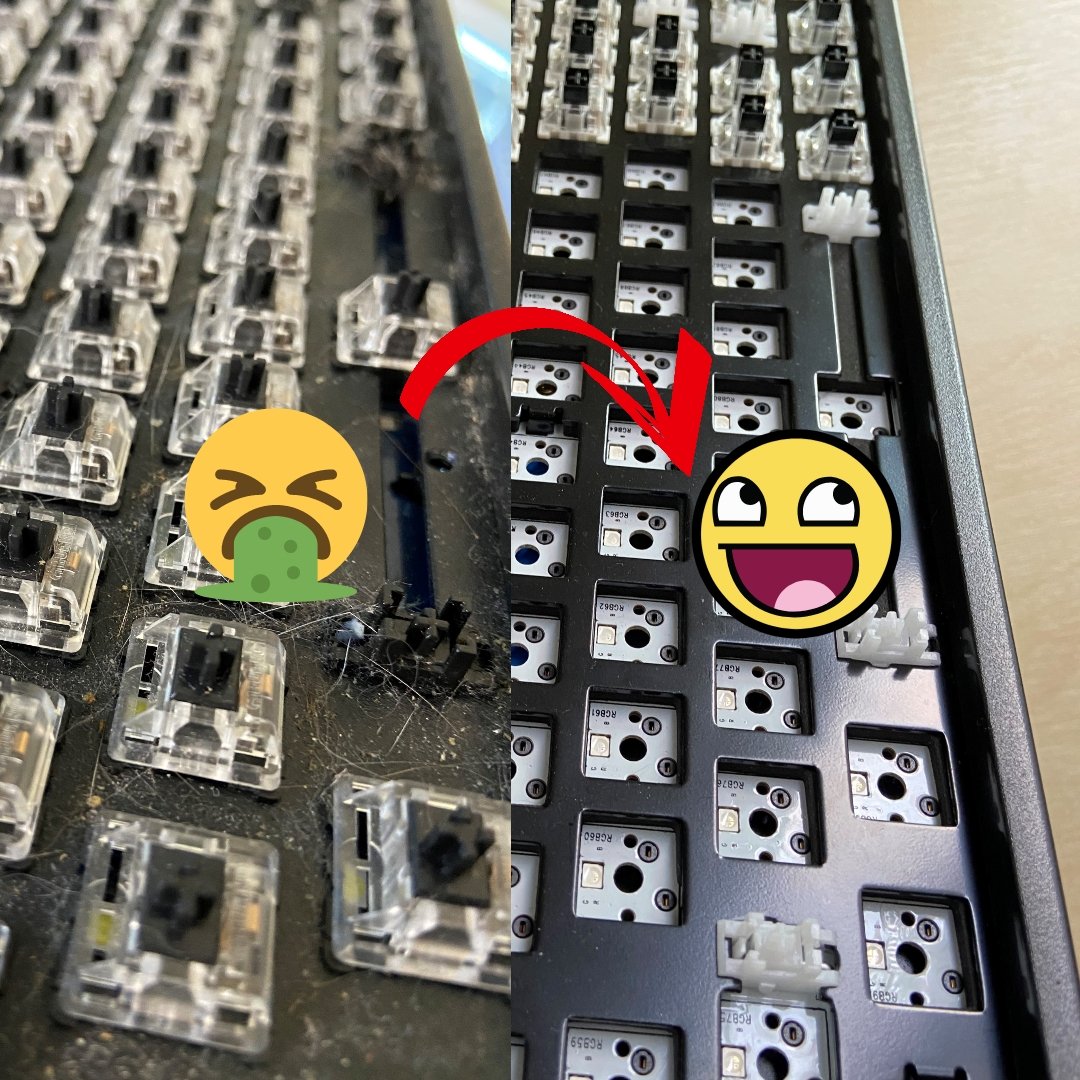
6 easy steps to Clean Your Mechanical Keyboard
Introduction Is your mechanical keyboard in desperate need of a good cleaning? Look no further! In this guide, we will walk you through a simple and effective process to safely clean your keyboard. Let's get started! Step 1: Removing the keycaps Begin by using a keycap pulling tool (available online) to gently remove all the keycaps from your mechanical keyboard. Remember to take a photo of the keyboard before removing the keycaps to make reassembling easier later on. Step 2: Cleaning the keycaps Prepare a bowl or cup with warm water and add a small amount of dishwashing detergent. Immerse the keycaps in the warm, soapy water and gently swirl them around for about 30 seconds. Let the keycaps sit in the mixture for 15 to 20 minutes to allow the detergent to dissolve any grease and grime. Step 3: Drying the keycaps After the soaking time, rinse the keycaps under clean, cold water to remove any soap residue. Dry each keycap thoroughly using a towel or rag. To ensure all moisture is removed, tap the keycaps against the towel or a clean surface. Leave them to air dry for a couple of hours before moving on to the keyboard. Step 4: Brushing the mechanical keyboard Take a soft bristle brush and gently brush the keyboard to remove any debris, crumbs, or fur. Avoid using a vacuum cleaner, as it can generate static electricity. Mechanical keyboards are built to be sturdy, so don't be afraid to apply a bit of pressure while brushing. Step 5: Wiping the mechanical keyboard with cotton bud Ensure the keyboard is unplugged and has no power supply. Dampen a cotton bud slightly and carefully run it along the length of the keyboard. This will help remove any dirt or grime. If desired, you can use a small amount of rubbing alcohol or an alcohol-based cleaner, but water alone works just fine. Step 6: Reassembling the mechanical keyboard Once the keycaps are completely dry and the keyboard is clean, it's time to reassemble. Take your time to align and place each keycap back onto the keyboard. Refer to the photo you took earlier if needed to ensure correct placement. Conclusion Congratulations on successfully cleaning your mechanical keyboard! By following these straightforward steps and incorporating regular cleaning habits, you can keep your keyboard in excellent condition. We hope you found this guide helpful. If you have any comments or suggestions, please feel free to share them. Happy typing!
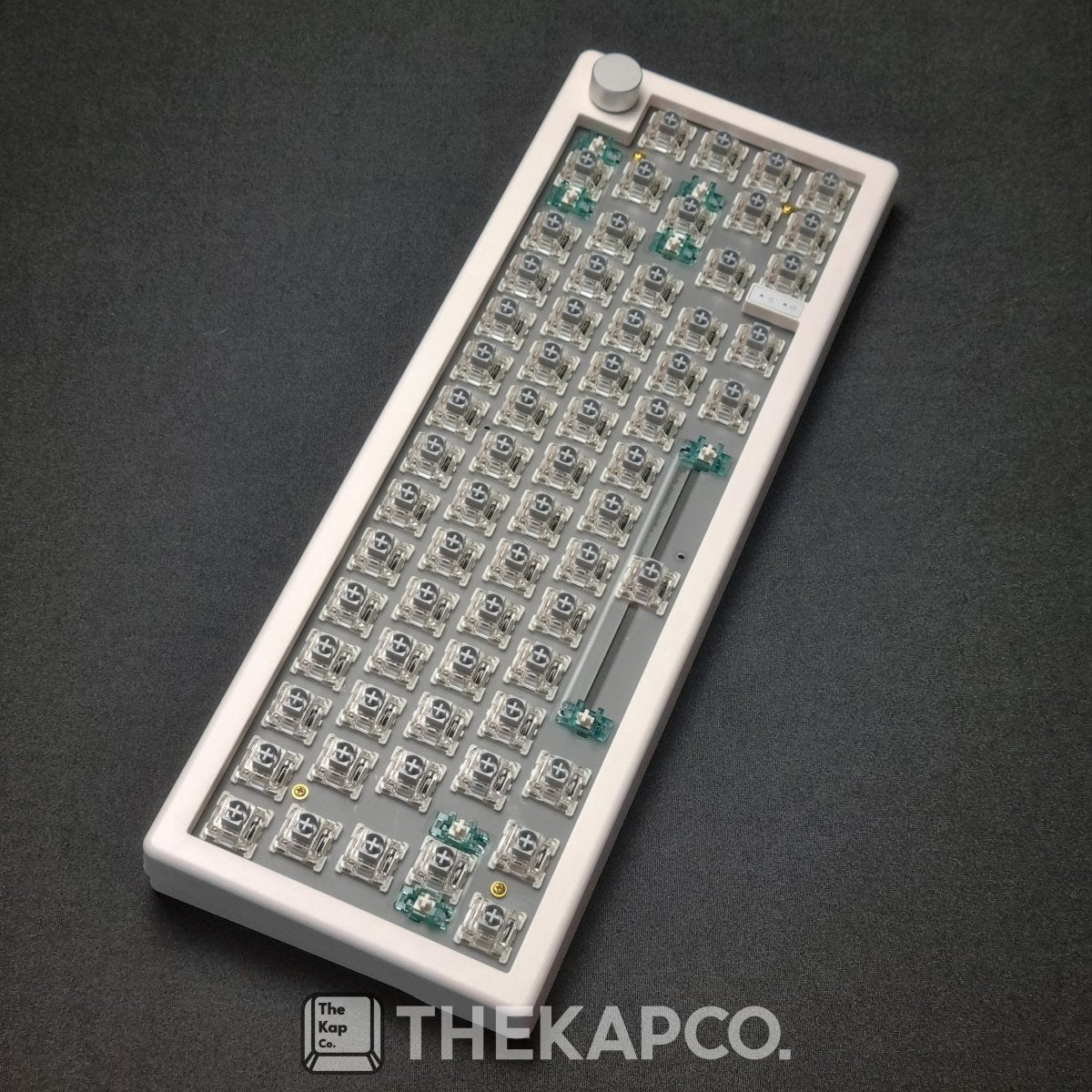
Choosing the Perfect Gaming Keyboard: What to Consider
If you're a serious gamer, you know that a standard keyboard won't cut it. Elevate your gaming performance with a gaming keyboard that offers advanced features and customization options. At The KapCo, we understand your needs, and here are some essential factors to consider when choosing the ideal gaming keyboard: Anti-Ghosting: Minimize Key Recognition Issues Ghosting occurs when pressing multiple keys simultaneously, resulting in the keyboard failing to register some keystrokes. To overcome this, opt for a gaming keyboard equipped with anti-ghosting technology. This feature reduces the likelihood of missed inputs, allowing you to execute complex maneuvers flawlessly. Test your keyboard from this website Macros: Simplify Complex Actions Take advantage of macros, which enable you to record and assign intricate commands to specific keys on your gaming keyboard. With just a single keystroke, you can execute a series of actions, such as performing complex combo moves or activating abilities in games. Look for keyboards that offer extra programmable keys, dedicated macro profiles, and intuitive software for effortless customization. Backlit Keys: Style and Functionality Combined Backlit keys not only add a visually stunning element to your gaming setup but also provide practical benefits. When gaming in low-light conditions, backlit keys ensure optimal visibility, allowing you to locate keys quickly and accurately. Explore keyboards with customizable RGB lighting options, enabling you to create personalized lighting effects that sync with your gaming environment or reflect in-game actions. Example: Imagine an intense battle where your backlit keys illuminate in fiery hues as your character unleashes a devastating spell, immersing you deeper into the gaming experience. With 4-Sided Crystal Keycaps Mechanical Keyboards: Unparalleled Performance and Durability For a truly exceptional gaming experience, consider investing in a mechanical keyboard. Unlike standard keyboards, mechanical keyboards feature individual mechanical switches beneath each key. These switches are known for their exceptional responsiveness, durability, and tactile feedback. The distinct clicking sensation produced by mechanical keyboards enhances typing accuracy and gaming precision. Though slightly heavier and pricier, mechanical keyboards offer longevity and satisfaction, making them a top choice among enthusiasts. Example: As you engage in intense gaming sessions, the satisfying click sound of each key press on your mechanical keyboard enhances your confidence and response time, ensuring every input is executed with utmost precision. GMK67 Mechanical Keyboard Switches: Tailor Your Typing and Gaming Experience Mechanical switches are available in various types, each with unique characteristics. These switches differ in terms of activation force required, audible feedback, and overall feel. Some switches are quieter and require less force, while others provide a more pronounced tactile response. Experiment with different switch options to find the one that suits your preferences and gaming style. Example: Picture yourself effortlessly gliding your fingers across the keys of your mechanical keyboard, each press accompanied by a satisfying click, as you unleash a flurry of actions with optimal precision and speed. Gateron G Pro Silver 2.0 Ergonomic Design: Comfort for Long Gaming Sessions Consider a gaming keyboard with an ergonomic design that prioritizes comfort during long gaming sessions. Look for keyboards with wrist rests, adjustable angles, and well-placed keys that minimize strain and promote a more natural hand posture. By choosing an ergonomically designed keyboard, you can enhance your gaming endurance and reduce the risk of discomfort or fatigue. Example: Imagine the ergonomic bliss as you settle your wrists onto the plush wrist rest of your gaming keyboard, allowing you to game for hours on end without experiencing discomfort or hindrance to your performance. KapCo Pastel Color Deskmat and Wrist Rest TKL Keyboards: Compact Design, Optimal Comfort If you value desk space and ergonomic positioning, consider TKL keyboards. These keyboards, also known as "tenkeyless," exclude the number pad on the side, allowing for a more compact design. The reduced footprint creates room for optimal mouse placement, reducing strain on your wrists. TKL keyboards are also highly portable, making them ideal for gaming on the go, whether attending tournaments or LAN parties. 60% Keyboards: Ultimate Portability and Minimalism For minimalist gamers seeking the utmost portability and simplicity, 60% keyboards take compactness to the next level. These keyboards eliminate not only the number pad but also the row of function keys on the top. The compact size not only saves desk space but also offers greater convenience for travel or limited workspace scenarios. Wired vs. Wireless: Balance Convenience and Performance The choice between wired and wireless keyboards ultimately depends on your personal preferences and priorities. Wired keyboards provide uninterrupted connectivity and stability, making them popular among competitive gamers. Wireless keyboards offer greater flexibility and freedom of movement, eliminating cable clutter. Ensure you consider factors such as battery life, connectivity options (USB dongle, Bluetooth), and rechargeability when selecting a wireless keyboard. Example: Experience the freedom of wireless gaming as you effortlessly move around your gaming station, your wireless keyboard providing a seamless connection and precise responsiveness with every keystroke. Conclusion With these considerations in mind, you're now equipped to select the ideal gaming keyboard from The KapCo. Explore our extensive range of high-performance keyboards, catering to different preferences and budgets. Find the perfect gaming companion that matches your style, enhances your skills, and takes your gaming experience to new heights.

How to Tap into the Booming Custom Keycaps Market: A Guide for Designers
If you are a designer who loves design, you might have heard of custom keycaps. These are custom-made keycaps that feature unique and creative designs, such as anime characters, Cyberpunk, Japanese Theme, spacebars, and more. Custom keycaps are not only aesthetically pleasing, but also functional and durable, as they are made of high-quality materials such as PBT, PC-PBT, ABS, resin, SLA, and etc. Cyberpunk Samurai Keycaps Custom keycaps are becoming more and more popular among keyboard enthusiasts and gamers, who are looking for ways to personalize and enhance their keyboards. According to a recent market intelligence report by Marketwatch, the global artisan keycaps market is expected to grow at a significant rate during the forecast period 2023-2031. The report attributes this growth to various factors, such as: The increasing demand for online gaming, e-sports, streaming, and personalization, which drives the need for customized and high-performance keyboards. The rising awareness and appreciation of keyboard art and culture, which fosters the interest and passion for custom keycaps among keyboard lovers. The availability and accessibility of online platforms and communities, such as Shopify stores and Etsy, where custom keycap makers and buyers can connect and exchange ideas and products. Full article click here As a designer, you might be wondering how you can tap into this booming market and showcase your talent and creativity. Well, you are in luck, because we have some tips and insights for you on how to get started and succeed in the custom keycaps market. How to get started as a custom keycap designer? The first step to becoming a custom keycap designer is to have a clear idea of what kind of keycaps you want to create and who your target audience is. You can do some research on the existing market trends and customer preferences by browsing through online platforms and forums, such as Reddit , where you can find inspiration and feedback from other custom keycap makers and buyers. You also need to decide on what materials and techniques you want to use to make your keycaps. There are various options available, such as: PBT keycaps: This stands for polybutylene terephthalate, which is a high-quality plastic that is more expensive and harder to produce than ABS. PBT keycaps are usually rougher and matte, but they are more resistant to fading and shine than ABS keycaps. PC-PBT keycaps: This stands for polycarbonate-polybutylene terephthalate, which is a hybrid plastic that combines the best qualities of PC and PBT. PC-PBT keycaps are transparent and durable, and they can have different colors and effects. PC-PBT keycaps are also more affordable than resin or SLA keycaps. Resin keycaps: This is a liquid substance that hardens into a solid form when mixed with a catalyst. Resin keycaps are handcrafted and polished by artisans, and they can have various colors, patterns, textures, and effects. Resin keycaps are unique and beautiful, but they are also very costly compared to other types of keycaps. SLA keycaps: This stands for stereolithography, which is a type of 3D printing that uses a laser to cure liquid resin into solid layers. SLA keycaps are precise and detailed, and they can have complex shapes and designs. SLA keycaps are also expensive compared to other types of keycaps. ABS keycaps: This stands for acrylonitrile butadiene styrene, which is a common plastic that is cheap and easy to produce. ABS keycaps are usually smooth and glossy, but they tend to fade and shine over time due to oils from fingers. ABS vs PBT You also need to choose the shape, size, profile, and theme of your keycaps. You can either follow the standard dimensions and layouts of common keyboards or create your own custom ones. You can also choose from various themes and designs for your keycaps, such as: Anime keycaps: These are inspired by Japanese animation or manga characters or scenes. Anime fans can find custom keycaps featuring their favorite characters from Naruto, One Piece, Attack on titan, Demon Slayer, etc. Japanese theme Keycaps: These are inspired by the culture and aesthetics of Japan. Japanese fans can find custom keycaps featuring elements such as cherry blossoms, samurai, geisha, sushi, kanji, etc. Cyberpunk keycaps: These are inspired by the genre of science fiction that depicts a dystopian future where technology and society are in conflict. Cyberpunk fans can find custom keycaps featuring elements such as neon lights, hackers, cyborgs, graffiti, etc. Spacebar: These are customized for the longest and most visible key on your keyboard. Spacebar fans can find artisan keycaps featuring various images or words that fit the spacebar size and shape, such as landscapes, animals, logos, quotes, etc. Artisan keycaps: These are handcrafted by skilled artists who use various materials and techniques to create unique and intricate keycaps. Artisan fans can find artisan keycaps featuring various themes and styles, such as animals, plants, food, skulls, robots, etc. These are just some examples of custom keycaps that you can create or find online or offline. You can also use your own imagination and creativity to come up with your own original and distinctive keycaps. How to succeed as a custom keycap designer? The second step to becoming a custom keycap designer is to have a clear strategy and plan on how to market and sell your keycaps. You need to consider various aspects such as: Pricing: You need to set a reasonable and competitive price for your keycaps that reflects the quality and value of your products. You also need to factor in the cost of materials, labor, shipping, taxes, etc., and make sure that you have a profit margin that allows you to sustain and grow your business. Branding: You need to create a strong and recognizable brand identity for your keycaps that sets you apart from other competitors. You need to have a catchy and memorable name, logo, slogan, etc., that represents your style and vision. You also need to have a consistent and appealing visual identity across all your platforms and channels. Marketing: You need to promote and advertise your keycaps to reach your target audience and potential customers. You need to use various online and offline methods such as social media, websites, blogs, forums, newsletters, podcasts, videos, events, etc., to showcase your products and services. You also need to engage and interact with your customers and followers by providing useful information, feedback, support, etc. Distribution: You need to have a reliable and efficient distribution system that allows you to deliver your keycaps to your customers in a timely and safe manner. You need to choose the best shipping options and carriers that suit your needs and budget. You also need to have a clear and fair return and refund policy that protects both you and your customers. Marketing Strategy How to partner with The KapCo as a custom keycap designer? The third step to becoming a custom keycap designer is to partner with The KapCo, a company that specializes in creating high-quality custom keycaps for all kinds of keyboards. The KapCo is one of the key players in the custom keycaps market, and it offers a new business model that cooperates with designers to design keycaps. The KapCo is a company that was founded by keyboard enthusiasts who wanted to share their passion and expertise with other keyboard lovers. The KapCo offers a wide range of custom keycaps that cater to different tastes and needs, such as PBT, PC-PBT, ABS, resin, etc. The KapCo also offers premium shipping, easy and secure payment, friendly and helpful customer service, and money-back guarantee. The KapCo has received many positive reviews and testimonials from its customers who have praised its products and services. The KapCo is not only a company that sells custom keycaps but also a company that cares about its designers and their creativity. The KapCo offers a unique opportunity for custom keycap designers to partner with them and design keycaps for their customers. The KapCo provides the following benefits for its designers: Exposure: The KapCo showcases the designers' work on its website and social media platforms, where they can reach a large and loyal audience of keyboard enthusiasts and gamers. The KapCo also credits the designers for their work and links to their personal platforms and channels. Support: The KapCo provides technical and logistical support for the designers, such as providing materials (3D motion video to promote keycaps), tools, equipment, etc., to create their keycaps. The KapCo also handles the shipping, delivery, customer service, etc. Compensation: The KapCo pays the designers a competitive commission for each keycap they design and sell. The KapCo also offers bonuses and incentives for the designers who achieve certain milestones or goals. If you are a custom keycap designer who wants to partner with The KapCo and design keycaps for their customers, you can visit their website or contact them via email or pm on Instagram to learn more about their partnership program. You will not regret it! Conclusion Custom keycaps are a great way to customize your keyboard and express your personality and style. They are also a great way to showcase your talent and creativity as a designer. The custom keycaps market is a booming and lucrative market that offers huge opportunities and potential for designers who want to tap into it. The KapCo is a company that specializes in creating high-quality custom keycaps for all kinds of keyboards. The KapCo also offers a new business model that cooperates with designers to design keycaps for their customers. The KapCo provides exposure, support, and compensation for its designers who partner with them. If you are interested in buying or creating your own custom keycaps for your keyboard, you should visit The KapCo's website or social media platforms to learn more about their products and services. Thank you for reading this article and we hope you enjoyed it. Please contact us or place an order for your custom keycaps today!
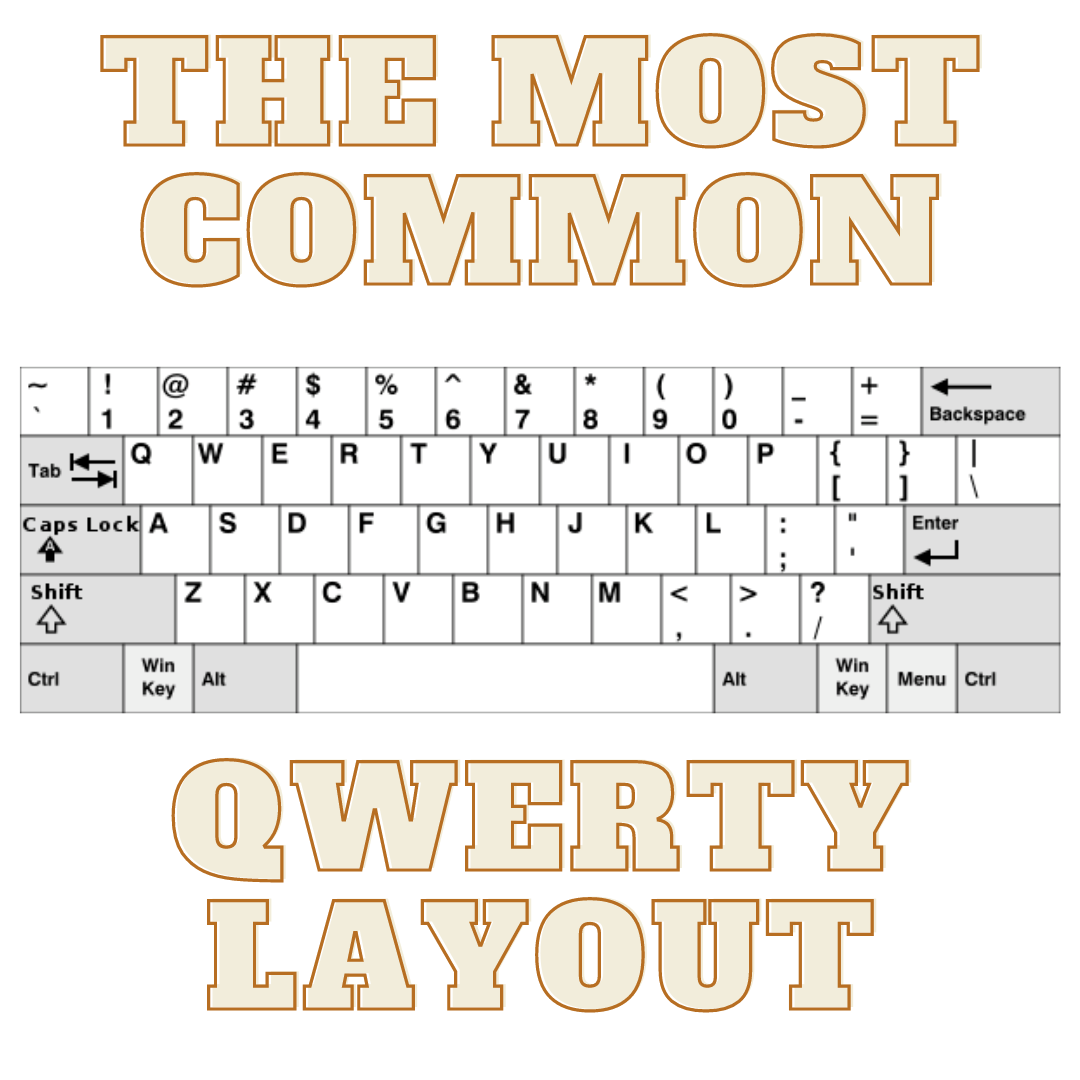
Keyboard Layouts by Country: Everything You Need to Know About Typing in Different Languages and Regions
If you have ever traveled to a different country and tried to use a keyboard there, you may have noticed that the keys are not arranged in the same way as your own keyboard. Or you may have wondered why keyboards in different countries look different in the first place. In this article, we will explain some of the reasons behind the diversity of keyboard layouts by country, and how they affect the way people type and communicate. We will also give you some tips on how to switch between keyboard layouts on your computer and how to find the best keyboard layout for your needs. What Does Keyboard Layout Mean? A keyboard layout is the way the keys on a keyboard are organized according to the language and region of the user. A keyboard layout determines what symbols are printed on the keys, what keys are used to type certain characters, and what keys have special functions. A keyboard layout can also influence the typing speed, accuracy, comfort, and ergonomics of the user. There are many different keyboard layouts in use around the world, but some of the most common ones are: QWERTY: The most popular layout for English-speaking countries, such as the US, UK, Canada, Australia, etc. It is named after the first six letters on the top row of the keyboard. QWERTY layout AZERTY: The standard layout for French-speaking countries, such as France, Belgium, Switzerland, etc. It is named after the first six letters on the top row of the keyboard. AZERTY layout QWERTZ: The standard layout for German-speaking countries, such as Germany, Austria, Switzerland, etc. It is named after the first six letters on the top row of the keyboard. QWERTZ layout Dvorak: An alternative layout for English-speaking countries, designed to reduce finger movement and increase typing speed. It is named after its inventor, August Dvorak. Dvorak layout Colemak: Another alternative layout for English-speaking countries, similar to Dvorak but with less changes from QWERTY. It is named after its creator, Shai Coleman. Colemak layout Nordic: A variation of QWERTY for Nordic countries, such as Denmark, Finland, Norway, Sweden, etc. It has some extra letters and symbols for the Nordic languages, such as Å, Ä, Ö, etc. Nordic layout Workman: Another alternative layout for English-speaking countries, similar to Dvorak and Colemak but with more focus on the middle and bottom rows. It is named after its creator, OJ Bucao. Workman layout Swedish: A variation of QWERTY for Sweden and Finland. It has some extra letters and symbols for the Swedish and Finnish languages, such as Å, Ä, Ö, etc. Swedish layout Turkish: A variation of QWERTY for Turkey and some other Turkic-speaking countries. It has some extra letters and symbols for the Turkish and Turkic languages, such as Ç, Ğ, İ, Ö, Ş, Ü, etc. Turkish layout Why Do Keyboards Look Different in Different Countries? The main reason why keyboards look different in different countries is because of the different languages and alphabets they use. For example French has more accented letters than English so it needs more keys to type them. German has some unique characters like ß and ü that are not found in English so it needs different keys to type them. Some languages use non-Latin scripts such as Chinese, Japanese, Arabic and etc. so they need different input methods to type them. Another reason why keyboards look different in different countries is because of historical and cultural factors. For example: QWERTY was originally designed for typewriters in the 19th century to prevent jamming of the keys. However, it was not optimized for efficiency or ergonomics. Some countries adopted QWERTY because of its popularity and compatibility with other devices. Some countries modified QWERTY to suit their languages and preferences. Some countries developed their own keyboard layouts based on their own standards and traditions. What are the Pros and Cons of Different Keyboard Layouts? Different keyboard layouts have their own advantages and disadvantages depending on various factors such as: Typing speed: Some keyboard layouts are designed to improve typing speed by placing the most frequently used letters in the home row or reducing finger movement. For example, Dvorak claims to be 20% faster than QWERTY on average. However, typing speed also depends on other factors such as personal preference, familiarity, practice, etc. Typing accuracy: Some keyboard layouts are designed to reduce typing errors by minimizing adjacent key presses or avoiding common typos. For example, Colemak claims to reduce typos by 50% compared to QWERTY. However, typing accuracy also depends on other factors such as skill level, attention span, distractions, etc. Typing comfort: Some keyboard layouts are designed to enhance typing comfort by reducing finger fatigue or strain. For example, Dvorak claims to reduce finger travel by 60% compared to QWERTY. However, typing comfort also depends on other factors such as keyboard quality, posture, environment, etc. Typing ergonomics: Some keyboard layouts are designed to prevent typing injuries such as carpal tunnel syndrome or repetitive strain injury by improving hand posture or alignment. For example, Dvorak claims to reduce wrist movement by 70% compared to QWERTY. However, typing ergonomics also depends on other factors such as keyboard size, shape, angle, etc. Typing compatibility: Some keyboard layouts are more compatible with different devices, software, or languages than others. For example, QWERTY is the most widely supported layout for most computers, smartphones, tablets, etc. However, some keyboard layouts may require special drivers, settings, or adapters to work properly. Some keyboard layouts may also have difficulties with certain applications or websites that do not support them. How to Switch Between Keyboard Layouts on Your Computer? If you want to try different keyboard layouts on your computer you can easily switch between them by following these steps: For Windows 10 users: go to Settings > Time & Language > Language > Preferred languages > Add a language. Choose the language and keyboard layout you want to add and click Next. Check the box for Install language pack and set as my Windows display language if you want to change your entire system language or uncheck it if you only want to change your keyboard layout. Click Install and wait for the process to finish. For Mac users: go to System Preferences > Keyboard > Input Sources > +. Choose the language and keyboard layout you want to add and click Add. You can also check the box for Show Input menu in menu bar if you want to access your keyboard layouts from the top right corner of your screen. For Linux users: go to Settings > Region & Language > Input Sources > +. Choose the language and keyboard layout you want to add and click Add. Once you have added your desired keyboard layouts, you can switch between them by using these shortcuts: For Windows 10 users: press Windows key + Space Bar to cycle through your keyboard layouts, or click on the language icon on the bottom right corner of your screen and select your keyboard layout from the list. For Mac users: press Option + Command + Space Bar to cycle through your keyboard layouts, or click on the input menu icon on the top right corner of your screen and select your keyboard layout from the list. For Linux users: press Super + Space Bar to cycle through your keyboard layouts or click on the input menu icon on the top right corner of your screen and select your keyboard layout from the list. How to Find the Best Keyboard Layout for Your Needs? Finding the best keyboard layout for your needs depends on various factors such as: Your language: If you type in a language that uses a different alphabet or script than English, you may need a keyboard layout that supports it. For example, if you type in Arabic, you may need a keyboard layout that has Arabic letters and symbols on it. Your preference: If you type in English or a language that uses Latin script, you may have more options for keyboard layouts. You may prefer a keyboard layout that matches your region or culture such as QWERTY for US users or AZERTY for French users. You may also prefer a keyboard layout that optimizes your typing speed, accuracy, comfort, or ergonomics such as Dvorak or Colemak. Your device: If you use different devices for typing such as a laptop, a desktop, a tablet, or a smartphone, you may need a keyboard layout that is compatible with them. If you use a laptop with a built-in keyboard, you may need a keyboard layout that matches its size and shape. Your budget: If you want to buy a new keyboard with a different keyboard layout, you may need to consider your budget. Some keyboard layouts may be more expensive or harder to find than others. For example, if you want to buy a Dvorak keyboard, you may need to order it online or customize it yourself. To help you find the best keyboard layout for your needs, you can use some online tools or resources such as: Keyboard Tester: A website that lets you test different keyboard layouts on your browser without installing anything. You can see how each key is mapped and how it feels to type on different layouts. You can also compare different layouts side by side and see their statistics and ratings. Typing Test: A website that lets you measure your typing speed and accuracy on different keyboard layouts. You can choose from various texts and languages and see how fast and accurate you can type on different layouts. You can also see your progress and improvement over time. Typing Club: A website that lets you learn and practice different keyboard layouts with interactive lessons and games. You can choose from various layouts and languages and see how to type each key and character. You can also track your performance and achievements. Conclusion Keyboard layouts by country are an interesting and important aspect of typing and communication. Different countries have different keyboard layouts because of their different languages, alphabets, histories, and cultures. Different keyboard layouts have their own advantages and disadvantages depending on various factors such as typing speed, accuracy, comfort, ergonomics, and compatibility. Different keyboard layouts also have their own main differences that affect how they look and feel. You can switch between different keyboard layouts on your computer by following some simple steps. You can also find the best keyboard layout for your needs by considering some factors such as your language, preference, device, and budget. We hope this article has given you some useful information and insights about keyboard layouts by country. If you want to learn more about keyboards, keycaps, switches or anything related to typing check out our website The KapCo for more articles, guides, reviews and tips. The KapCo is your one-stop shop for all your typing needs. Whether you are a beginner or a pro we have what you need. Thank you for reading and happy typing!

Wrist Rests: Do I need it?
Are you experiencing wrist pain while working from home? You're not alone! Many people are also struggling with this issue. But the solution might be simpler than you think - it could be all about how you position and support your wrists in your workspace. Why You Might Need a Wrist Rest Typing on a computer keyboard often leads to awkward wrist positions, where people tend to raise their shoulders, tense their arms, and put pressure on their wrists. This can cause various issues such as tennis elbow, tenosynovitis, and carpal tunnel syndrome. Wrist rests can help by providing a comfortable resting surface for your wrists, reducing pressure on your wrists, and preventing you from raising your shoulders. Potential Problems with Wrist Rests However, using a wrist rest incorrectly can lead to further issues. Heavy and frequent contact on a wrist rest can still irritate wrist structures and cause injuries. Inappropriate sizes and heights of the wrist support relative to the keyboard can also cause awkward hand positions and lead to carpal tunnel syndrome, tendon injuries, and tenosynovitis. Should You Get a Wrist Rest? Whether you're working in an office or from home, a wrist rest can be beneficial if chosen wisely. Before buying a wrist rest, make sure to consider your overall desk arrangement. Your desk should allow you to distribute your weight evenly to prevent heavy wrist contact on the surface. Your arms should rest at a 90-110 degree angle, preventing you from raising your shoulders. When choosing a wrist rest, opt for one that is soft and without sharp edges. Make sure it matches your keyboard's width, height, and slope to allow your wrist to be in a neutral (straight) position. For flatter designed keyboards, you may not need a wrist rest, but keyboards with increased height and slope will require thicker support. Additionally, make sure the contact on your wrist rest is with the heels of your palms rather than your wrists. Don't forget that a separate wrist rest for your mouse can also be used. It's important to remember that even the smallest injuries can lead to bigger issues down the line. So, take care of your health by doing a risk assessment of your workspace and investing in a good ergonomic workstation. Happy typing!
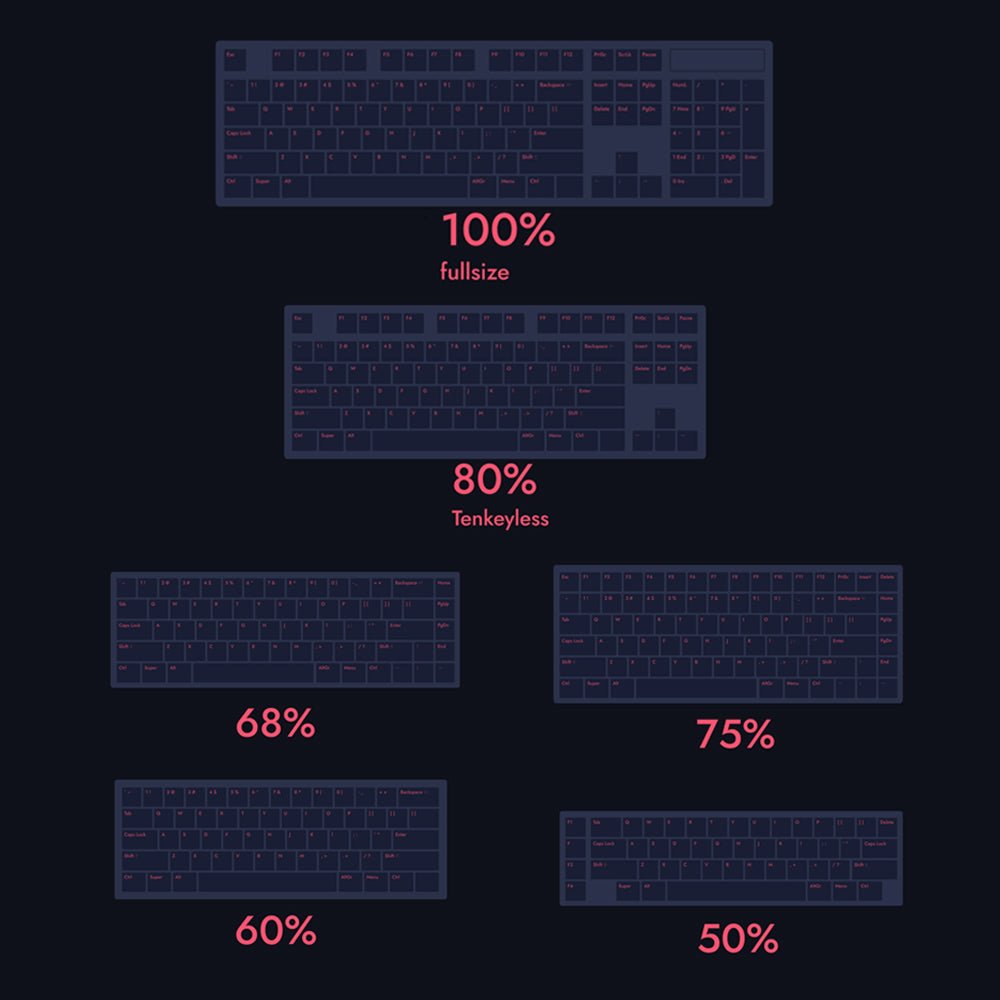
The Ultimate Guide to Keyboard Sizes and Layouts: Everything You Need to Know
Understand the difference of mechanical keyboard sizes in this comprehensive guide. A quick review on which keyboard layout is the most suitable for you.