
ANSI & ISO layouts: What's the difference?
Especially if you're a new-come to the mechanical keyboard world, taking the time to understand the differences between ANSI and ISO will save you from headaches and compatibility issues down the road.
Dye-Sublimation vs. Doubleshot Keycaps: How They're Printed
Learn the difference between Dye-Sublimation and Double-Shot keycaps printing methods on manufacturing, durability, design, legends, RGB compatibility, and cost!
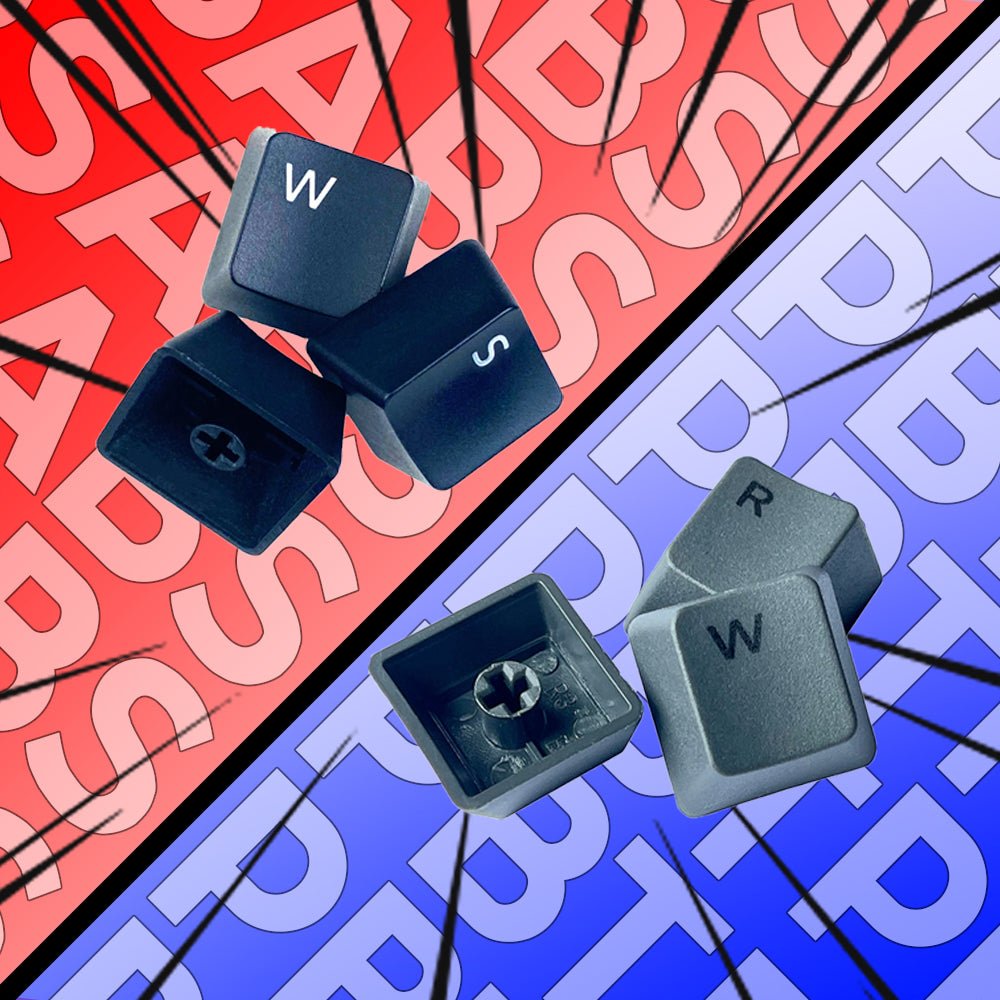
ABS vs PBT: Which Makes Better Keycaps?
PBT vs ABS keycaps: Let's compare and see if the myth about PBT being superior is true!
Learn your keycaps: A guide to keycap profile and material
Master the art of keycap selection with our ultimate guide! From the different materials to profiles, colors, and designs, we cover everything you need to know. Whether you're a beginner or an experienced enthusiast, our comprehensive guide is your one-stop-shop for all things keycaps
PC Keycaps: What makes these transparent keycap so special?
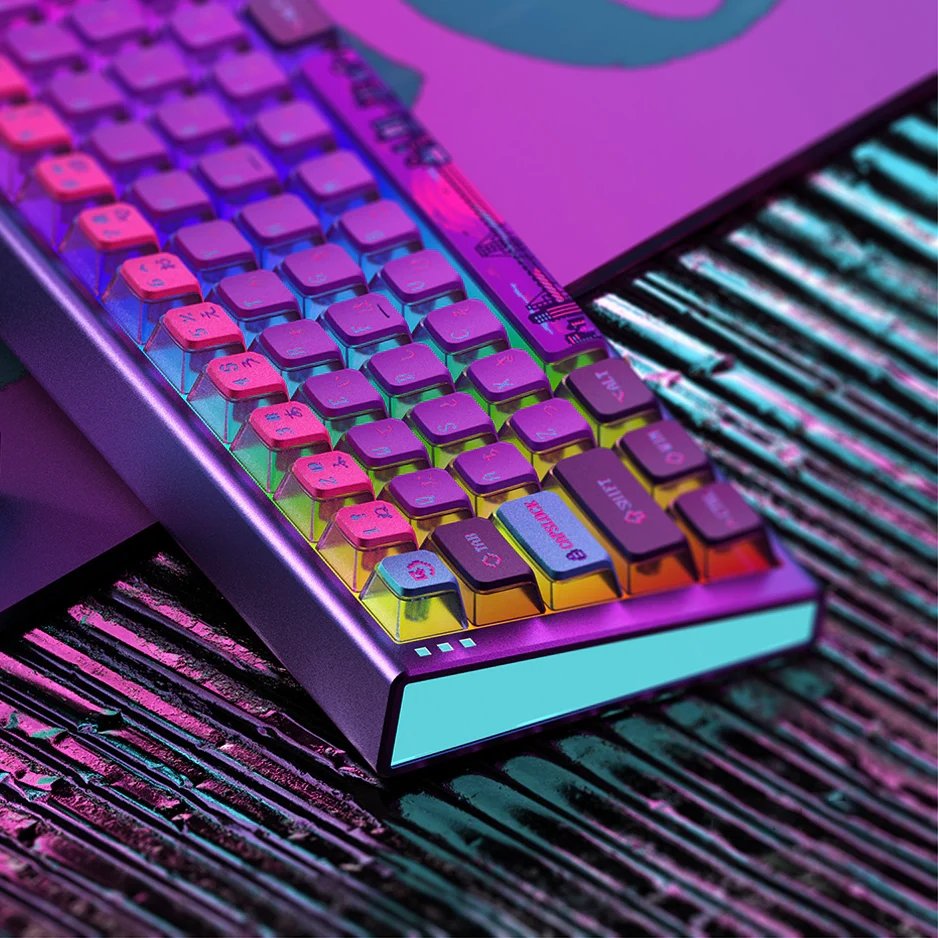
PC Keycaps: What makes these transparent keycap so special? PC keycaps (Polycarbonate plastic keycaps) are among the keycap styles that are rising in trend. Keycap enthusiasts have praised its semi-transparent transparent characteristics that act like see-through pudding wall, compared to only 50% for pudding keycaps. However, these kinds of keycaps are less commonly seen in the market due to some pros and cons. We have conducted extensive research and are ready to share our findings with you now! PCPBT Keycap (left) vs PBT Keycap (right) PC keycaps, made from polycarbonate plastic, are becoming increasingly popular. They are known for their semi-transparent appearance and high resistance to heat and chemicals. Premium quality PC keycaps can even be made to be 99% transparent, as seen in keyboards such as the LOFREE 1% Transparent Mechanical Keyboard. Let's take a closer look at this niche keycap style. What is PC Keycap? PCPBT keycap on different RGB lights In a nutshell, polycarbonate plastic is a type of thermoplastic polymer known for its high impact resistance, transparency, and UV light resistance. PC keycaps can be dyed in any color or molded into keycaps straight from their raw state, resulting in crystal-clear keycaps. This allow tons of new design possibilities, especially for RGB keyboard users. If you're looking to replace your keycaps for your RGB keyboard, PC keycaps are something you don't want to miss out on! PC Keycap highlight PC Keycaps can come in two forms: colored semi-transparent or fully transparent. Because PC Keycaps are resistant to UV light and prone to yellowing, they can stay fresh and new for years to decades. The legend on PC Keycaps is usually printed using screen printing or pad printing. The former is an older process and is prone to wear and tear, while the latter is a modern process and can be UV screened to prevent yellowing. PCPBT Keycaps closeup Additionally, PC Keycaps can be doubleshot with other materials such as PBT to create PCPBT Keycaps. This allows for greater design possibilities, and the high heat resistance of PBT allows for designs to be printed on the keycaps via dye-sublimation. With these features, more and more people are starting to explore PC Keycap designs. Material Polycarbonate plastic Appearance Semi-transparent or fully transparent UV Resistance High resistance to UV light Legend Printing Screen or pad printing; can be UV screened to prevent yellowing Double-Shot Can be combined with PBT to create PCPBT Keycaps; designs can be printed via dye-sublimation Durability Tough and less likely to crack or break Scratch Resistance Highly resistant to scratches and abrasions; lettering on keycaps won't wear off easily Texture Smooth and silky to the touch Thickness and Weight Generally thicker and heavier than traditional keycaps; provides a more satisfying typing experience Cost Generally more expensive than traditional keycaps made from ABS or PBT plastic; varies based on several factors Durability Polycarbonate is known for its toughness and can withstand the rigors of daily use better than other materials. This means that PC Keycaps are less likely to crack or break. Scratch and Abrasion Resistance Polycarbonate is also highly resistant to scratches and abrasions. This means that the lettering on the keycaps won't wear off easily, even with prolonged use. Premium Feel PBT keycap vs PCPBT keycap PC Keycaps have a unique texture that feels smooth and silky to the touch. This can make typing a more enjoyable experience, particularly for those who spend long hours at the keyboard. Thickness PC Keycaps are generally thicker and heavier than traditional keycaps because of the denser and stronger nature of Polycarbonate plastic. This can provide a more satisfying typing experience and help produces the "thockier-sided" sounds. Cost PC wall of PCPBT keycaps As a general rule, PC Keycaps are more expensive than traditional keycaps made from ABS or PBT plastic. However, the price can vary depending on several factors, including the quality of the raw materials, the thickness of the keycaps, the brand, and the design. While cheap PC keycaps do exist, they may not be of the same quality as high-end sets, which can cost several hundred dollars. Nonetheless, it is definitely worthwhile to check them out! Key-take away PC Keycap is strong & durable, usually comes with thicker wall. PC Keycap works greatly on RGB keyboard. Cheaper PC Keycaps cost from 30$, while premium PC keycap can cost up to 100$
Upgrade Your Gaming Setup: Must-Have Accessories for Gamers
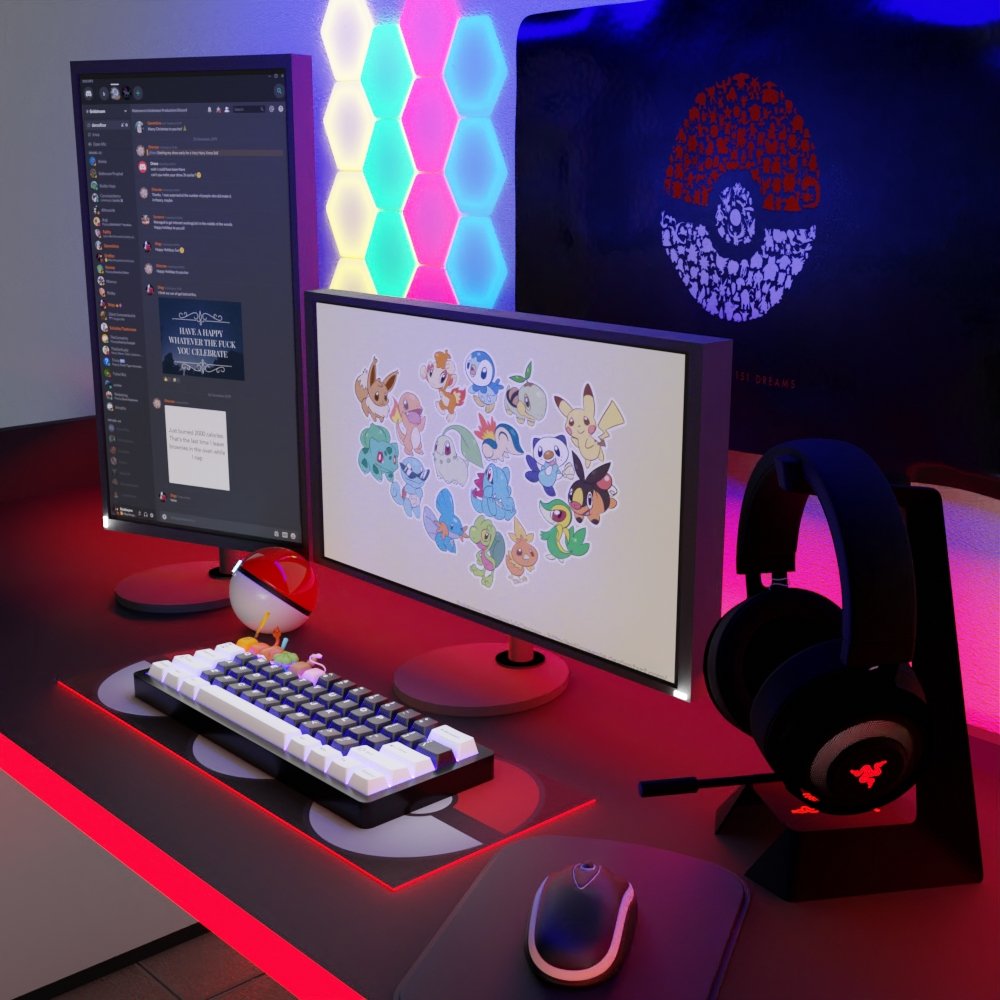
As a gamer, having the right accessories for your gaming setup is vital for optimal performance and extended gameplay. The accessories you choose can significantly enhance your gaming experience and create you a gaming room that you'll never want to leave. In this article, we'll explore the top five must-have accessories you need to upgrade your gaming setup and take your gaming to the next level. The First Accessory to Buy When Building a PC When building a PC, the first accessory to purchase should be a high-quality gaming mouse. A gaming mouse enhances your accuracy, providing more control over your movements in the game. The adjustable sensitivity feature is crucial since it allows you to customize your settings to your preferences and optimize your gaming performance. Must-Have Accessories for Every Gamer Apart from a gaming mouse, every gamer should have a gaming keyboard with cute keycaps. These keycaps can improve gameplay by helping you find the keys you need more quickly. Additionally, a good gaming headset is essential for communicating with your teammates and immersing yourself fully in the game. Opt for a headset with excellent sound quality and a comfortable fit. Finally, a good gaming chair that provides proper support and comfort is a must-have for any serious gamer. A chair that is adjustable and provides good back support will help you maintain a healthy posture and avoid any discomfort during extended gaming sessions. Top 5 Must-Have Accessories for Gamers Cute Keycaps: The perfect way to add personality and style to your keyboard. The KapCo offers an extensive collection of keycaps, including anime keycaps, gradient keycaps, and Japanese keycaps, to help you upgrade your gaming setup. Gaming Mouse: A high-quality gaming mouse is essential for any gamer. It provides precision and accuracy for quick movements and helps enhance your gaming performance. Gaming Keyboard: A gaming keyboard with cute keycaps is a must-have for any gamer. The keycaps improve gameplay by making it easier to find the keys you need, while the keyboard itself can be customized to your preferences. Gaming Headset: A gaming headset is essential for communicating with your teammates and immersing yourself in the game. Look for a headset with good sound quality and a comfortable fit. Gaming Chair: A good gaming chair is crucial for providing proper support and comfort during extended gaming sessions. Look for a chair that is adjustable and provides good back support. Cost of a Gaming Setup The cost of a gaming setup depends on the quality and brand of accessories you choose. A basic gaming setup can cost anywhere from $500 to $1000, while a high-end setup can cost upwards of $5000. At The KapCo, we offer a range of cute keycaps at affordable prices, making it possible to upgrade your gaming setup without breaking the bank. Conclusion Upgrading your gaming setup with the right accessories can significantly enhance your gaming experience. Cute keycaps, a gaming mouse, keyboard, headset, and chair are must-have accessories for every gamer. These accessories improve performance, comfort, and functionality during extended gaming sessions. Visit The KapCo to find a wide range of cute keycaps and other gaming accessories at affordable prices.
What is "Cherry" in the world of mechanical keyboard?
Mechanical keyboards are a rabbit hole flooded with jargon, which can be overwhelming for beginners to the hobby. Some enthusiasts even mention fruits, such as Cherry! Fret not, today we’re going to find out exactly what "Cherry" is in the context of keyboard enthusiasts. (ps: it's not actually a fruit) What exactly is “Cherry” in mechanical keyboard? Cherry is a well-known brand in the mechanical keyboard industry. They are a German computer peripheral-device maker. It all started in 1953 when Walter Lorain Cherry founded The CHERRY Corporation in the USA. The CHERRY Corporation was a manufacturer of microswitches which are used in arcade machines. These microswitches can control electrical devices and are used in arcade buttons and joysticks. In 1967, CHERRY’s production facilities were relocated to Germany. CHERRY started manufacturing computer keyboards in 1973,making them one of the first in the industry. They launched the G80-3000 mechanical keyboard which is now the oldest keyboard series in the world. Its successor, the G80-3000N RGB is still in production today! In 1983, CHERRY introduced MX mechanical switches which marked the start of mechanical keyboards. Their first ever mechanical key switch was the MX black. Fast forward to 2014, CHERRY introduced the RGB technology. At that time, the mechanical MX keyboards can be illuminated by LEDs with up to 16.8 million colors. The gaming community liked the idea of RGB as it adds to the aesthetics of their setups. Competitors like Razer ventured into the technology as well because of the rising interest in RGB keyboards among the gaming community. As a result, Razer launched their Razer Blackwidow Ultimate 2014 which featured their own green switches. In 2018, CHERRY launched MX low profile switches which have lower height compared to the normal MX switches. They first introduced MX low profile RED as the red variant was their most popular switch at that time. This allowed for a slimmer keyboard design which complements ergonomic working. Slim keyboards also mean that they are easier to carry around as they dont take up as much space as regular keyboards. The first keyboard featuring these low profile switches was the Corsair K70 RGB MK.2 Low Profile. The classic Cherry MX switches Cherry MX Red switches These linear switches are smooth and consistent. Red switches are commonly used in the gaming community because they provide immediate response and require the least resistance to actuate. Cherry MX Blue switches These switches are clicky and most commonly found in mechanical keyboards. Beginners to mechanical keyboards usually favor these switches as they output the loudest feedback and give the “mechanical” feeling. Cherry MX Brown switches These are tactile switches. This is the sweet spot between linear and clicky switches.Keyboard enthusiasts love brown switches as they provide a satisfying feeling. Cherry MX Black switches These switches are similar to red switches. Black switches are linear like red switches but they require higher actuation force compared to reds. This causes the black switches to feel heavier as they require more effort to actuate. Heavier switches allow for precision typing as we are less likely to accidentally press a key. The modern variants of Cherry MX switches Silver switches One of the fastest Cherry MX switches. They are linear and have low spring resistance. These are upgraded versions of red switches. Green switches These switches are slightly modified from blue switches. Green switches have an increased actuation force compared to the blue switches. Gray switches Slightly modified version of brown switches. These switches are tactile just like browns but have a higher actuation force. Gray switches provide a noiseless feedback which results in a silent click, or commonly known as silent switches. What is the difference between Cherry, Cherry MX & MX style switches? You may have seen these different terminologies on the internet. Cherry and Cherry MX switches are originals and manufactured by Cherry themself. On the other hand, MX style switches are imitations of Cherry switches. These MX style switches feature the iconic “+” cross-stem of Cherry switches. Why are MX style switches freely distributed in the market? The reason for this is the expiration of Cherry’s patent in 1984. Since then, the market has been flooded with MX style switches which resemble Cherry’s design. Here is a list of similar brands that manufacture MX style switches: Gateron Outemu Razer Kailh JWK Modding possibilities for MX style switches Modding switches is the cheapest way to take your keyboard to the next level. The reason for this is that the tools required to modify switches such as switch lube are usually inexpensive. DIY lubing To lube your MX style switches, you need to first take apart the switches. Using a switch lube, you can lube many parts of your switches. These include spring, bottom housing, top housing and stem. Lubing switches can change the sound of your keyboard and make it smoother. However, do not overlube your switches as it will make your switches feel mushy and unresponsive. Damping Damping is to reduce the noise made by your keyboard. One of the methods is to use O-rings. To do that, remove the keycaps on your keyboard and place O-rings in the keycap stem. This will cushion the impact of bottoming out and reduce noise. All in all, Cherry is a pioneer in the computer hardware industry and has created the world we live in now. Cherry had produced high quality products in the past and always will do. Due to the enormous success of Cherry MX switches, other brands like Gateron and Kailh wanted to compete in the market and reach Cherry’s level. As a result, more MX style switches flooded the market and consumers got a wider range of options to choose from. Key Takeaways: Cherry is a manufacturer of various computer hardware related products and has over 70 years of history. Cherry MX red, blue and brown switches are linear, clicky and tactile respectively. Cherry MX silver, green and gray switches are their modern counterparts. Cherry manufactures Cherry MX switches whereas other brands produce MX style switches MX style switches provide many modding options to users.
7 Things to consider when buying a new keycap set
When buying a new keycap set, there are several factors to consider to ensure that the keycaps are compatible with your keyboard and will provide a satisfying typing experience. Here are a few things to consider when buying a new keycap set: Compatibility: Make sure that the keycap set is compatible with your keyboard's layout and switch type. This includes the size of the keycaps, the profile of the keycaps and the type of stems the keycaps have. Material: Keycaps are available in a variety of materials, including plastic, rubber, and metal. Each material has its own unique characteristics and benefits. Plastic keycaps are the most common and are available in a wide range of colors and designs. Rubber keycaps are more comfortable to type on and are resistant to wear and tear. Metal keycaps are durable but can be heavy and expensive. Profile: The profile of the keycaps can affect the typing experience. Keycap profiles, such as Cherry, OEM, SA, DSA, XDA, etc are the most common profiles, each of them has a different shape and height, that can affect the typing experience, it's recommended to try different profiles before making a decision. Design: Consider the design and color of the keycaps. Some keycap sets are available in a variety of colors and designs, such as solid colors, patterns, or custom designs. Some keycap sets are designed to match a specific theme, such as a video game or movie. Brand: Look for keycap sets from reputable brands to ensure that they are of high quality and will last a long time. Price: Consider the price of the keycap set and compare it to other sets. Some keycap sets can be expensive, but they may be made of higher-quality materials or have a unique design. Reviews: read reviews from other users, they can provide valuable information about the product's quality, compatibility, and user experience. In summary, when buying a new keycap set, it's important to consider the compatibility, material, profile, design, brand, price and reviews of the keycap set to ensure that you are getting a high-quality product that is compatible with your keyboard and will provide a satisfying typing experience.
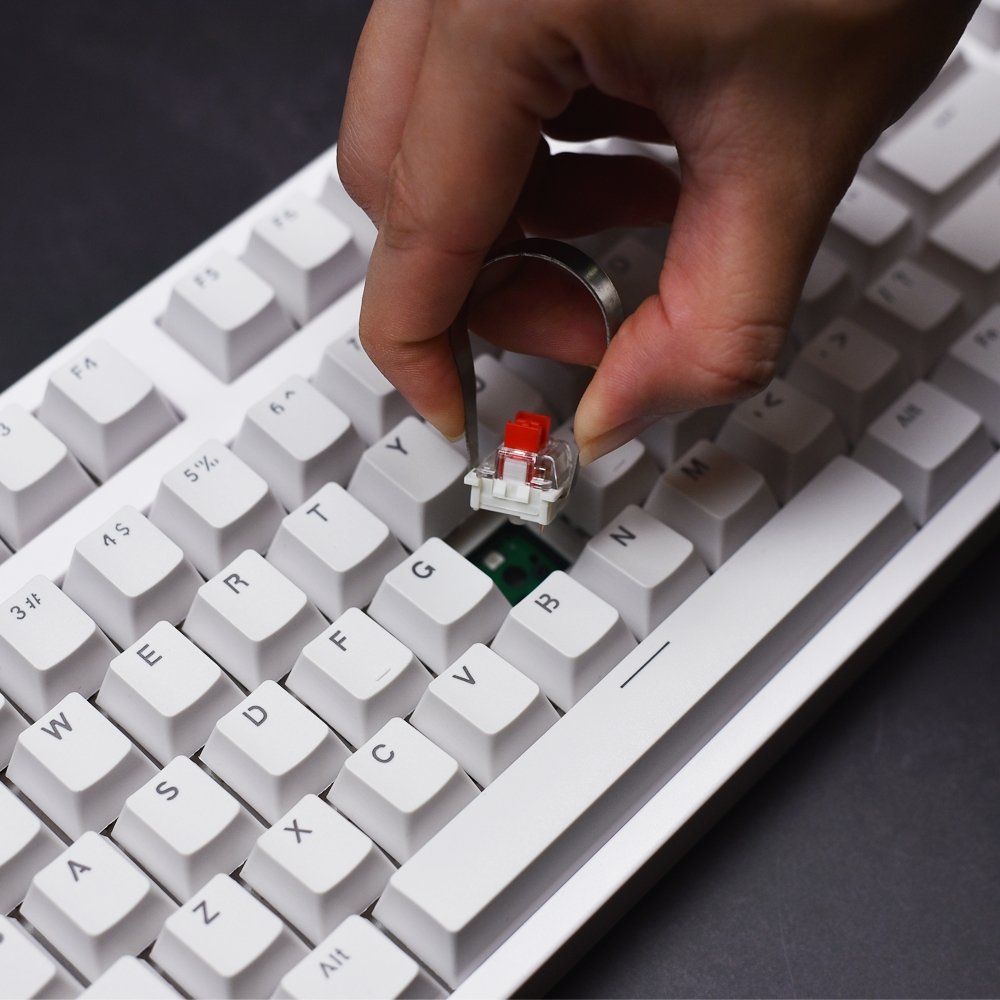
Why different keycaps can make my keyboard sound different?
Different keycaps can affect the sound of your keyboard in several ways. Here are a few examples: Material: The material of the keycaps can affect the sound of your keyboard. For example, keycaps made of ABS plastic can produce a "pingy" sound, while keycaps made of PBT plastic can produce a "thocky" sound. Additionally, metal keycaps can produce a different sound than plastic keycaps. Profile: The profile of the keycaps can also affect the sound of your keyboard. For example, keycaps with a higher profile can produce a louder sound because they are taller and will bottom out more easily. Dampening O-Rings: Dampening O-Rings are small rubber rings that can be placed on the keycap's stem to reduce the sound of the switch when it bottoms out. They can help to make the keyboard quieter, but they can also change the sound of the keyboard. Stabilizer: The stabilizer is the mechanism that keeps the larger keys (spacebar, enter, etc) stable and aligned, lubing the stabilizer can make them smoother and reduce the sound of the keyboard. Surface: The surface of the keycap can affect the sound of the keyboard, a glossy keycap will produce a different sound than a matte keycap. Switch lubing: lubing the switch can also affect the sound of the keyboard, it can make it smoother and quieter, but it can also change the sound of the keyboard. In summary, different keycaps can affect the sound of your keyboard in several ways, such as material, profile, dampening O-rings, stabilizer, surface, and switch lubing. It's worth noting that the sound of the keyboard is a personal preference, some people like a louder and "pingy" sound, while others prefer a quieter and "thocky" sound. It's recommended to try different keycaps and listen to the sound before making a decision.
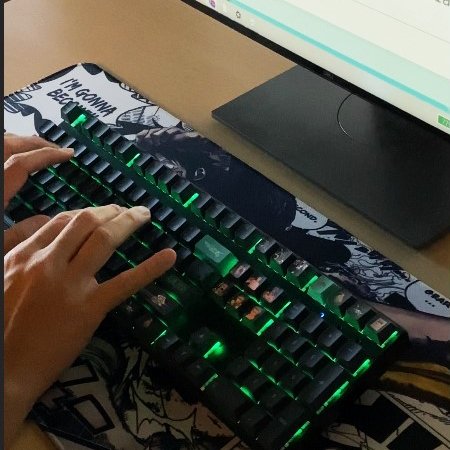
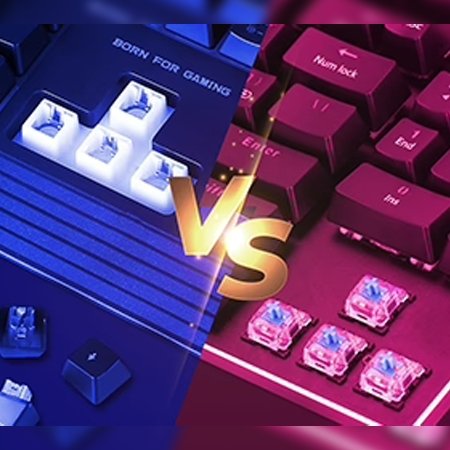
What is the difference between normal keyboard and mechanical keyboard?
The difference is...
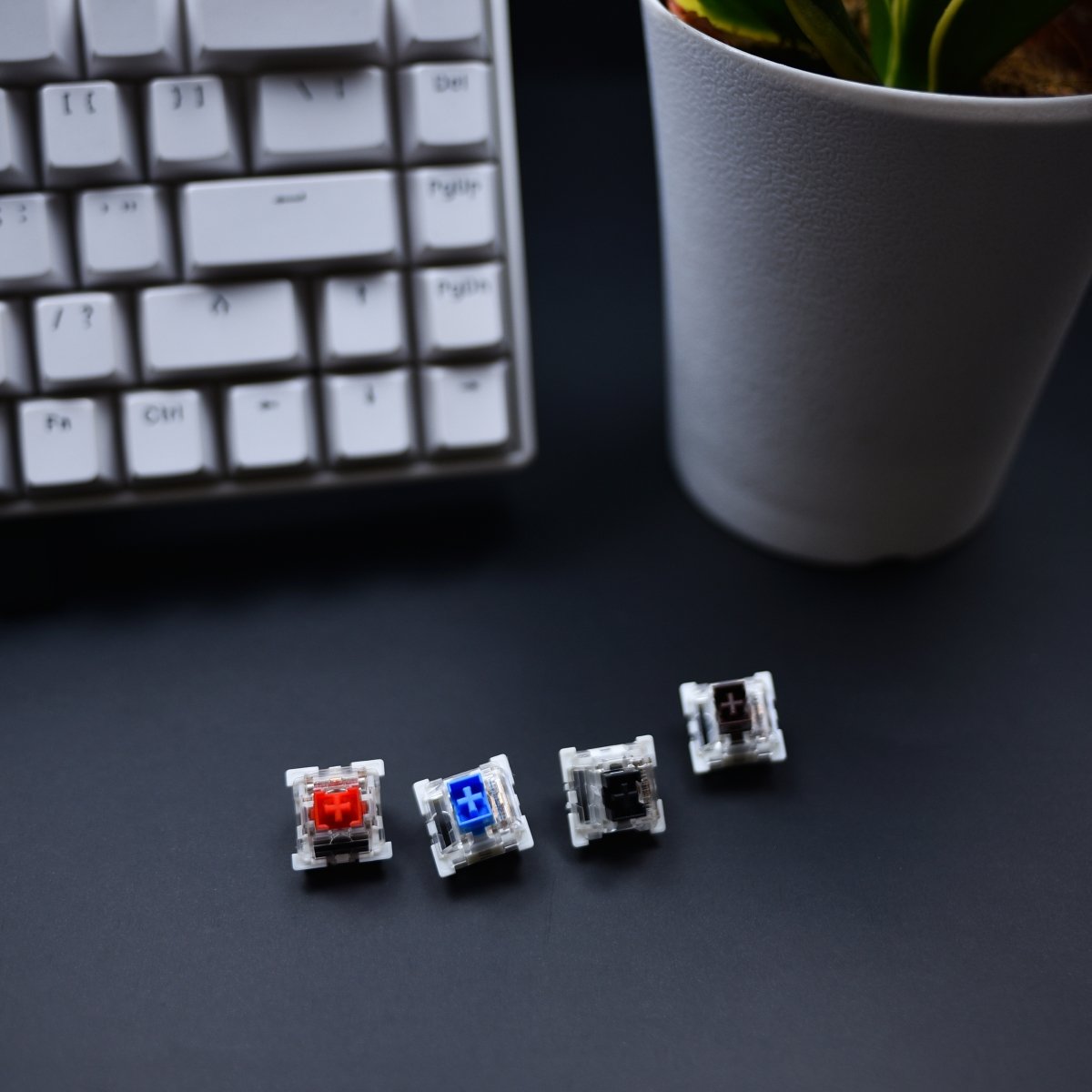
What color of mechanical keyboard switches should I choose (as a beginner)?
Brown switches are often recommended for beginners because.....
Choosing the Right Keycap Profile
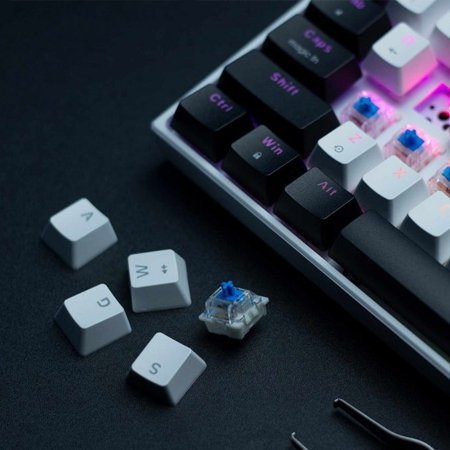
When choosing the perfect keycap set, an important customization option to consider is the keycap profile you intend on using. A keycap profile refers to the overall shape of the keycap on a row of given row, some keycaps are flat or some are rounded. Besides, each row of keys has different height to allow for a concave or sloped shape over the entire keycap set. There are few different types of keycap profile such as OEM, Cherry, DSA, XDA and SA. OEM Firstly, OEM is a sculpted keycap that can be found on most keyboard and the main ideas behind “sculpted” keycap sets are ergonomics and aesthetics. The sculpted keycap sets to be easier to type on since it is easier to feel where your fingers are on the board if the heights vary. Sculpted is usually preferred by most people as it is a best and most comfortable keycap profile. Cherry Secondly, Cherry and OEM profile keycaps are very similar in design and sculpt. However, Cherry profile keycaps are designed with a popular layout and slightly shorter and are harder to come by when searching for custom keycaps. It is approximately half the height of OEM profile. DSA Thirdly, DSA is a non-sculpted uniform keycap with a spherical top. With DSA profile, you can expect pleasantly textured surfaces, slightly shorter profile for a flatter look across all row. XDA Fourthly, XDA is a uniform keycap across different row and designed with a medium height profile. XDA profile keysets usually feature unique legend fonts and have a special surface shape that is more like a spherical shape. SA Fifthly, SA has a tall height profile with slightly spherical and angled top. In term of practicality, the high profile may be a bit more difficult to type on, but the SA profile provides a vintage look and unique sound with each keystroke that are responsible for its die-hard fans. As with all aspects with customizing your mechanical keyboard, the “best” keycap profile for you is subjective and depends on your personal preference.